Board Game Statistics
Rangga Gemilang
2022-07-28
Introduction
Board Game might be the first or oldest kind of games that has been created in our history. The first recognized Board Game created goes way back to around 3000 BC mark when it was discovered in the ancient tombs of Egypt. Games like Senet, Royal Game of Ur, Backgammon, Chess, Dominoes, etc are among the oldest Board Games that’s been recorded until now.
The concept of Board Games however, was always evolving with the time and in 1903, new games like The Landlord’s Game or the game we know as Monopoly has started to arise. With advancements of Video Games consoles in the 80s/90s, Board Games starting to face a strong competition and designers were starting to get around to make the players more intrigued with their games by establishing some complexities and further deepen lore.

Cyberpunk RED: A tabletop Role-Playing Game from 1988.
Not until the internet games came and blew out the Board Games popularity out of the water, Board Games became social hobbies that created new social aspects in the community driven by nostalgia. BoardGameGeek is the proof of how the Board Game community is ever evolving even in the internet era. In there, you can ask for recommendations, clarify rules and discuss strategy tips for games to name a few. Moreover, the website also holds he biggest boards game collection hosting over 100,000 tabletop or board games ever made. Players can rate the games and influence the overall board game ranking.
With such amount of information that we can get from the website, I want to see if we can take those information and make it more presentable by doing some analysis and visualizations. And here is my attempt to do the exact same things.
Understanding the Dataset
Dictionary
We’re going to use Kaggle’s Board Game Data which was collected in March of 2017 from the BoardGameGeek website and here are the explanation of each column of the data:
rank: Board Game Rankbgg_url: Board Game URL for each titlegame_id: Identifiernames: Game’s titlemin_players: minimum players allowedmax_players: maximum players allowedavg_time: average playing timemin_time: minimum playing timemax_time: maximum playing timeavg_rating: average of all user ratings for a gamegeek_rating: value that is computed using the User Ratings as an inputnum_votes: number of votes.age: minimum age recommended by the usermechanic: Game’s mechanicowned: number of people who owned the gamecategory: Genres of the gamedesigner: Game’s designerweight: how complex a game is
Table
bgdata <- read.csv("datainput/bgg_db_1806.csv")
kable(head(bgdata))| rank | bgg_url | game_id | names | min_players | max_players | avg_time | min_time | max_time | year | avg_rating | geek_rating | num_votes | image_url | age | mechanic | owned | category | designer | weight |
|---|---|---|---|---|---|---|---|---|---|---|---|---|---|---|---|---|---|---|---|
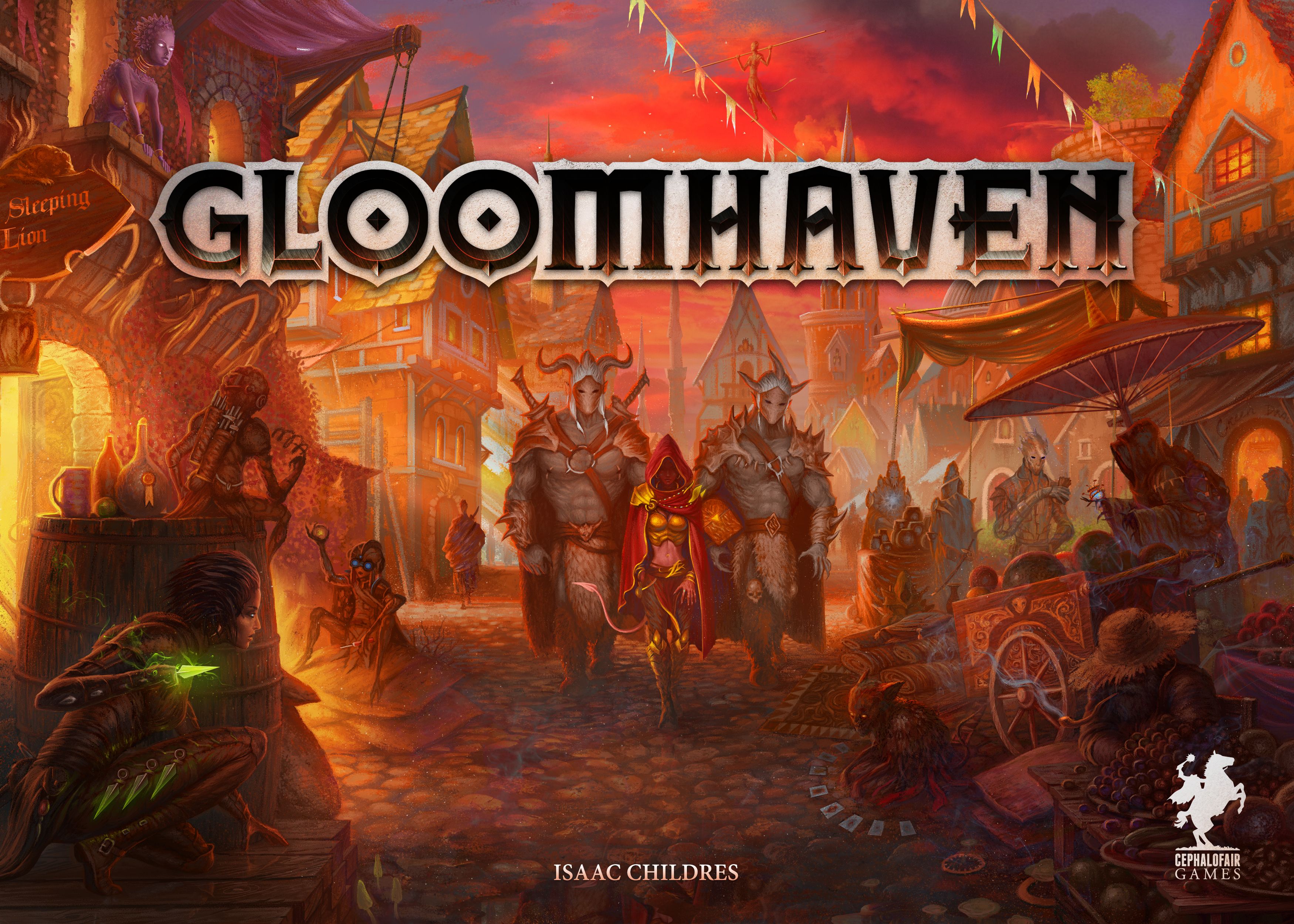
| 1 | https://boardgamegeek.com/boardgame/174430/gloomhaven | 174430 | Gloomhaven | 1 | 4 | 120 | 60 | 120 | 2017 | 8.98893 | 8.61858 | 15376 | https://cf.geekdo-images.com/original/img/lDN358RgcYvQfYYN6Oy2TXpifyM=/0x0/pic2437871.jpg | 12 | Action / Movement Programming, Co-operative Play, Grid Movement, Hand Management, Modular Board, Role Playing, Simultaneous Action Selection, Storytelling, Variable Player Powers | 25928 | Adventure, Exploration, Fantasy, Fighting, Miniatures | Isaac Childres | 3.7543 |
| 2 | https://boardgamegeek.com/boardgame/161936/pandemic-legacy-season-1 | 161936 | Pandemic Legacy: Season 1 | 2 | 4 | 60 | 60 | 60 | 2015 | 8.66140 | 8.50163 | 26063 | https://cf.geekdo-images.com/original/img/P_SwsOtPLqgk2ScCgI2YrI9Rg6I=/0x0/pic2452831.png | 13 | Action Point Allowance System, Co-operative Play, Hand Management, Point to Point Movement, Set Collection, Trading, Variable Player Powers | 41605 | Environmental, Medical | Rob Daviau, Matt Leacock | 2.8210 |
| 3 | https://boardgamegeek.com/boardgame/182028/through-ages-new-story-civilization | 182028 | Through the Ages: A New Story of Civilization | 2 | 4 | 240 | 180 | 240 | 2015 | 8.60673 | 8.30183 | 12352 | https://cf.geekdo-images.com/original/img/1d2h-kr4r_9xsss2Br6iMvjR9q0=/0x0/pic2663291.jpg | 14 | Action Point Allowance System, Auction/Bidding, Card Drafting | 15848 | Card Game, Civilization, Economic | Vlaada Chvátil | 4.3678 |
| 4 | https://boardgamegeek.com/boardgame/167791/terraforming-mars | 167791 | Terraforming Mars | 1 | 5 | 120 | 120 | 120 | 2016 | 8.38461 | 8.19914 | 26004 | https://cf.geekdo-images.com/original/img/o8z_levBVArPUKI7ZrIysZEs1A0=/0x0/pic3536616.jpg | 12 | Card Drafting, Hand Management, Set Collection, Tile Placement, Variable Player Powers | 33340 | Economic, Environmental, Industry / Manufacturing, Science Fiction, Territory Building | Jacob Fryxelius | 3.2456 |
| 5 | https://boardgamegeek.com/boardgame/12333/twilight-struggle | 12333 | Twilight Struggle | 2 | 2 | 180 | 120 | 180 | 2005 | 8.33954 | 8.19787 | 31301 | https://cf.geekdo-images.com/original/img/ZPnnm7v2RTJ6fAZeeseA5WbC9DU=/0x0/pic361592.jpg | 13 | Area Control / Area Influence, Campaign / Battle Card Driven, Dice Rolling, Hand Management, Simultaneous Action Selection | 42952 | Modern Warfare, Political, Wargame | Ananda Gupta, Jason Matthews | 3.5518 |
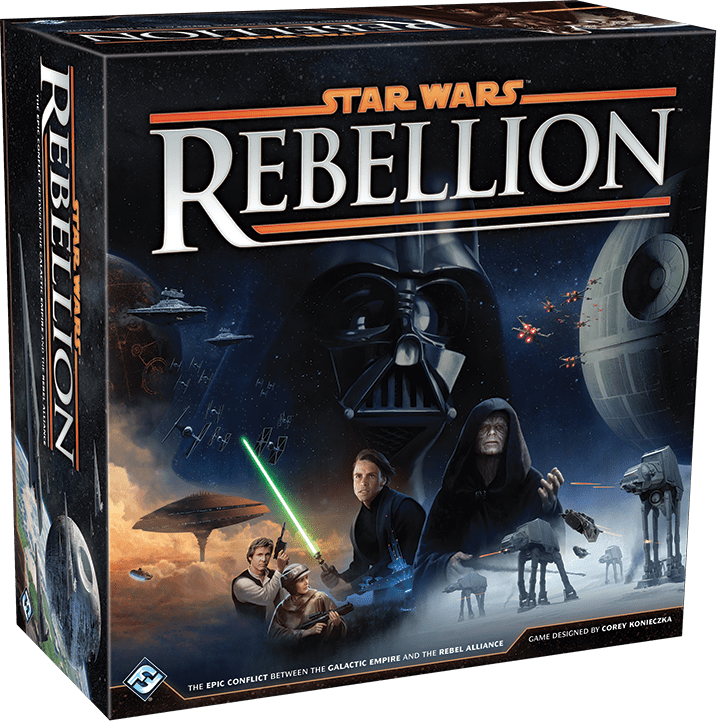
| 6 | https://boardgamegeek.com/boardgame/187645/star-wars-rebellion | 187645 | Star Wars: Rebellion | 2 | 4 | 240 | 180 | 240 | 2016 | 8.47439 | 8.16545 | 13336 | https://cf.geekdo-images.com/original/img/QT959HnYmUxmUqSMp0V7LxF1-tA=/0x0/pic2737530.png | 14 | Area Control / Area Influence, Area Movement, Dice Rolling, Hand Management, Partnerships, Variable Player Powers | 20682 | Fighting, Miniatures, Movies / TV / Radio theme, Science Fiction, Wargame | Corey Konieczka | 3.6311 |




Trend and Popularity
Over the last few years, the emergence of Board Games has potentially piqued some interests in many people. Consequently, more designer & game producers are increasingly producing more games on their name and we are about to see how’s the trend of Board Games by how many games released each year.
#Prepare the Data
bgdata$year <- as.character(bgdata$year)
bgtrend <-
bgdata %>%
select(names,year) %>%
filter(year >= 1955, year <= 2017) %>%
group_by(year) %>%
summarise(count = n()) %>%
ungroup()
#Plot Code
ggplot(bgtrend, aes(year, count))+
with_outer_glow(geom_line(aes(group=1),color = "#CAB0B9"), colour = "#F21F66", sigma = 10, expand = 0.7)+
with_outer_glow(geom_point(color = "#CAB0B9"), colour = "#F21F66", sigma = 10, expand = 0.7)+
scale_x_discrete(breaks = seq(1957,2017,5))+
scale_y_continuous(breaks = seq(0,420,60))+
labs(x = "Year",
y = NULL)+
theme(plot.background = element_rect(fill = "#231F20", color = "#231F20"),
panel.background = element_rect(fill = "#231F20"),
panel.grid = element_line(alpha(colour = "#525252",alpha = 0.2)),
plot.subtitle = element_text(colour = "#F2F2F2", face = "italic", size = 10),
axis.title.x = element_text(colour = "#ECD203",family = "OCR A Extended", face = "bold"),
axis.text.x = element_text(color = "White", family = "OCR A Extended", face = "bold"),
axis.text.y = element_text(color = "White", face = "italic", family = "OCR A Extended"))
We can confirm that the trends are mainly growing and starting in the early 2000s, which we can see that the games created has raised above 100 games/year. This conclude that, even in the Internet era, the growth of Board Games are surprisingly accelerating further. On the other hand, we can’t rule out the aspect of technology that actually helps the Game makers on producing their games.
After that, we will see what are the popular games of all times along with the most rated ones. This can be seen by the number of owned games and the number of votes.
Most Popular & Rated Games
Popular
#Prepare the Data
bgpopular <-
bgdata %>%
select(names,owned) %>%
group_by(names) %>%
summarise(total = sum(owned)) %>%
ungroup() %>%
top_n(10,total)
#Plot Code
ggplot(bgpopular, aes(reorder(names,total), total)) +
with_outer_glow(geom_segment(aes(x = reorder(names,total),
xend = reorder(names,total),
y = 0,
yend = total), color = "#C4FEFE", size = 0.5),colour = "#00F0FF") +
with_outer_glow(geom_point(color = "#CAB0B9", size = 1),colour = "#F21F66#ECD203")+
coord_flip()+
scale_y_continuous(breaks = seq(0,112000,22400),
labels = comma)+
labs(x = NULL,
y = "Total Owned")+
theme(plot.background = element_rect(fill = "#231F20", color = "#231F20"),
panel.background = element_rect(fill = "#231F20"),
panel.grid = element_line(alpha(colour = "#525252",alpha = 0.2)),
plot.subtitle = element_text(colour = "#F2F2F2", face = "italic", size = 10),
axis.title.x = element_text(colour = "#ECD203", family = "OCR A Extended", face = "bold"),
axis.text.x = element_text(color = "White", family = "OCR A Extended", face = "italic"),
axis.text.y = element_text(color = "White", face = "italic", family = "OCR A Extended"))
Rated
#Prepare the Data
bgvotes <-
bgdata %>%
select(names,num_votes) %>%
group_by(names) %>%
summarise(total = sum(num_votes)) %>%
ungroup() %>%
top_n(10,total)
#Plot Code
ggplot(bgvotes, aes(reorder(names,total), total)) +
with_outer_glow(geom_segment(aes(x = reorder(names,total),
xend = reorder(names,total),
y = 0,
yend = total), color = "#C4FEFE", size = 0.5),colour = "#00F0FF") +
with_outer_glow(geom_point(color = "#CAB0B9", size = 1),colour = "#F21F66#ECD203")+
coord_flip()+
scale_y_continuous(breaks = seq(0,80000,20000),
labels = comma)+
labs(x = NULL,
y = "Total Votes")+
theme(plot.background = element_rect(fill = "#231F20", color = "#231F20"),
panel.background = element_rect(fill = "#231F20"),
panel.grid = element_line(alpha(colour = "#525252",alpha = 0.2)),
plot.subtitle = element_text(colour = "#F2F2F2", face = "italic", size = 10),
axis.title.x = element_text(colour = "#ECD203", family = "OCR A Extended", face = "bold"),
axis.text.x = element_text(color = "White", family = "OCR A Extended", face = "italic"),
axis.text.y = element_text(color = "White", face = "italic", family = "OCR A Extended"))
⠀

Catan: The Most Popular & Rated Game based on our Analysis
It is interesting that we have the same Top 5 lists orders for the most Popular & Rated Games. And if we see the year when the games created,
kable(bgdata %>%
select(names,year) %>%
filter(names %in% c("Catan","Carcassonne","Pandemic","Dominion","7 Wonders"))) | names | year |
|---|---|
| 7 Wonders | 2010 |
| Dominion | 2008 |
| Pandemic | 2008 |
| Carcassonne | 2000 |
| Catan | 1995 |
All the games were created in the internet-era (Circa 90s to 00s). This also confirms our first conclusion about the Board Game’s acceleration in the last few decades.
Rating
BoardGameGeek has a rating and ranking system for games that is powered by user input. The ratings are used to regulate all individuals game’s score input to the game’s ranking on the website. There are two types of Rating that available which are Geek Rating and Average Rating. Before we go further for some explanation between these two ratings, we will compare by seeing their distributions first.
Rating Distribution
#Prepare the Data
rating <-
bgdata %>%
select(avg_rating,geek_rating) %>%
gather(rating) %>%
mutate(rating = as.factor(rating))
#Plot the Code
ggplot(rating,aes(x=value, col = rating)) +
with_outer_glow(geom_density(data = .%>% filter( rating == "avg_rating"),
alpha=0.3,fill = "#231F20",size=0.4),colour="#FF003C",
sigma = 10,expand = 0.7)+
with_outer_glow(geom_density(data = .%>% filter( rating == "geek_rating"),
alpha=0.3,fill = "#231F20",size=0.4),colour="#00F0FF",
sigma = 10,expand = 0.7)+
scale_x_continuous(breaks = seq(6,9,1))+
scale_color_manual(values = c("#CAB0B9", "#C4FEFE"),
labels=c('Avg. Rating', 'Geek Rating'))+
labs(x= "Rating",
y= "")+
theme(legend.position="top",legend.direction="horizontal",
legend.background = element_rect(fill="#231F20", color = "#231F20"),
legend.key = element_rect(fill="#231F20", color = "#231F20"),
legend.title = element_text(colour = "#231F20", face ="bold", size = 9),
legend.text = element_text(color="White", face ="italic"),
legend.key.size= unit(0.4, 'cm'),
plot.background = element_rect(fill = "#231F20", color = "#231F20"),
panel.background = element_rect(fill = "#231F20"),
panel.grid = element_line(alpha(colour = "#525252",alpha = 0.2)),
axis.title.x = element_text(colour = "#ECD203",family="OCR A Extended",face="bold"),
axis.text.x=element_text(color="White",family="OCR A Extended", face="italic"),
axis.text.y=element_text(color="White", face="italic", family = "OCR A Extended"))
From the plot above, Geek Rating generates more lower ratings rather than the Average Rating. Why is that? According to BoardGameGeekFAQ
“BoardGameGeek’s ranking charts are ordered using the BGG Rating, which is based on the Average Rating, but with some alterations.Games with a large number of votes will see their BGG Rating alter very little from their Average Rating, but games with relatively few user ratings will see their BGG Rating move considerably toward 5.5. This is known as Bayesian averaging”
So we can conclude that Geek Ratings have more fair calculation since it also calculates the Individuals count who rated the game. Thus we will using Geek Ratings for our further analysis.
Geek vs Average Rating
Relationship by Votes divided with each Rating’s Quantiles.
Geek Rating
#Prepare the Data
gq0 <- quantile(bgdata$geek_rating)[1] #Get each quantiles
gq25 <- quantile(bgdata$geek_rating)[2]
gq50 <- quantile(bgdata$geek_rating)[3]
gq75 <- quantile(bgdata$geek_rating)[4]
gq100 <- quantile(bgdata$geek_rating)[5]
#Create a function
convert_ratings = function(x){
if(x <= gq25) {x <- "0-25%"}
else if(x <= gq50) {x <- "25-50%"}
else if(x <= gq75) {x <- "50-75%"}
else {x <- "75-100%"}
}
#Apply the function
bgdata$geek_group <- sapply(X = bgdata$geek_rating,
FUN = convert_ratings)
geek.group <- bgdata[,c("num_votes","owned","geek_group","geek_rating")]
#Plot Code
ggplot(geek.group,aes(geek_rating,log(num_votes), col=geek_group))+
with_bloom(geom_point(alpha=0.8,size=0.7),strength = 1)+
scale_color_manual(values = c("#00F0FF","#EF3524","#FDF202","#F16393"))+
labs(x= "Geek Rating",
y= "Log(Votes)",
subtitle = "Relationship by Geek Rating Groups Quantiles",
col = "Geek Quantiles:")+
theme(legend.position="right",legend.direction="vertical",
legend.background = element_rect(fill="#231F20", color = "#231F20"),
legend.key = element_rect(fill="#231F20", color = "#231F20"),
legend.title = element_text(colour = "#ECD203", face ="bold", size = 9),
legend.text = element_text(color="White", face ="italic", family="OCR A Extended"),
plot.background = element_rect(fill = "#231F20", color = "#231F20"),
legend.key.size= unit(0.3, 'cm'),
panel.background = element_rect(fill = "#231F20"),
panel.grid = element_line(alpha(colour = "#525252",alpha = 0.2)),
panel.grid.minor.x = element_line(colour ="#231F20"),
plot.subtitle = element_text(colour = "#F2F2F2", face = "italic", size = 10),
axis.title.x = element_text(colour = "#ECD203",family="OCR A Extended",face="bold"),
axis.title.y = element_text(colour = "#ECD203",family="OCR A Extended",face="bold"),
axis.text.x=element_text(color="White",family="OCR A Extended", face="italic"),
axis.text.y=element_text(color="White", face="italic", family = "OCR A Extended"))
Average Rating
#Prepare the Data
aq0 <- quantile(bgdata$avg_rating)[1] #Get each Quantiles
aq25 <- quantile(bgdata$avg_rating)[2]
aq50 <- quantile(bgdata$avg_rating)[3]
aq75 <- quantile(bgdata$avg_rating)[4]
aq100 <- quantile(bgdata$avg_rating)[5]
#Create a function
convert_ratings = function(x){
if(x <= aq25) {x <- "0-25%"}
else if(x <= aq50) {x <- "25-50%"}
else if(x <= aq75) {x <- "50-75%"}
else {x <- "75-100%"}
}
#Apply the function
bgdata$avg_group <- sapply(X = bgdata$avg_rating,
FUN = convert_ratings)
avg.group <- bgdata[,c("num_votes","owned","avg_group","avg_rating")]
#Plot code
ggplot(avg.group,aes(avg_rating,log(num_votes), col=avg_group))+
with_bloom(geom_point(alpha=0.8, size=0.7),strength = 1)+
scale_color_manual(values = c("#00F0FF","#EF3524","#FDF202","#F16393"))+
labs(x= "Average Rating",
y= "Log(Votes)",
subtitle = "Relationship by Average Rating Groups Quantiles",
col = "Average Quantiles:")+
theme(legend.position="right",legend.direction="vertical",
legend.background = element_rect(fill="#231F20", color = "#231F20"),
legend.key = element_rect(fill="#231F20", color = "#231F20"),
legend.title = element_text(colour = "#ECD203", face ="bold", size = 9),
legend.text = element_text(color="White", face ="italic", family="OCR A Extended"),
plot.background = element_rect(fill = "#231F20", color = "#231F20"),
legend.key.size= unit(0.3, 'cm'),
panel.background = element_rect(fill = "#231F20"),
panel.grid = element_line(alpha(colour = "#525252",alpha = 0.2)),
panel.grid.minor.x = element_line(colour ="#231F20"),
plot.title = element_text(colour = "#FDF202",face = "bold", family="Copperplate Gothic Bold"),
plot.subtitle = element_text(colour = "#F2F2F2", face = "italic", size = 10),
axis.title.x = element_text(colour = "#ECD203",family="OCR A Extended",face="bold"),
axis.title.y = element_text(colour = "#ECD203",family="OCR A Extended",face="bold"),
axis.text.x=element_text(color="White",family="OCR A Extended", face="italic"),
axis.text.y=element_text(color="White", face="italic", family = "OCR A Extended"))
Game Categories & Mechanics
In this section, we want to see which are the most popular categories and mechanics within the community of Board Game. But before that, we want to see how much categories & mechanics are available.
game_cat<-as.data.frame(table(str_trim(unlist(strsplit(str_trim(as.character(bgdata$category)), ", ")))))
length(unique(game_cat$Var1))## [1] 84game_mec<-as.data.frame(table(str_trim(unlist(strsplit(str_trim(as.character(bgdata$mechanic)), ", ")))))
length(unique(game_mec$Var1))## [1] 52There are 84 Categories and 52 Mechanics available on the site. Now we will see which of them are more popular than the others.
Top 5 Categories & Mechanics
Due to margin issue, I can’t present these two plots as they are. So I’m using the PNG image for a better presentation of these plots. Moreover, I will provide you the Plot Code along the Data Wrangling Code for these 2 plots here for proof:
Category

Mechanics
 Card Games & Dice Rolling are on
top of their own class, and we can see even in our surroundings, these
type of games always present.
Card Games & Dice Rolling are on
top of their own class, and we can see even in our surroundings, these
type of games always present.
Code (Category)
#Prepare the Data for Category Plot
top5_cat <- game_cat[order(game_cat$Freq, decreasing=T)[1:5],]
top5_cat$fraction <- round((top5_cat$Freq / sum(top5_cat$Freq))*100)
top5_cat$fraction <- sub("$", "%", top5_cat$fraction)
hsizec <- 2
top5_cat <- top5_cat %>%
mutate(x = hsizec)
#Plot Code for Category Plot
ggplot(top5_cat, aes(x = hsizec, y = Freq, fill = Var1, col = Var1)) +
with_bloom(geom_col(fill="#231F20"),sigma = 15, strength=2) +
with_bloom(geom_text(aes(label = fraction),
color = "#F2F2F2",
position = position_stack(vjust = 0.5),family = "OCR A Extended")) +
guides(fill = "none") +
labs(x=NULL,
y=NULL,
col = "Categories:")+
scale_color_manual(values = c("#00F0FF","#FF003C","#FDF202","#EF3524","#D039DD"))+
scale_fill_manual(values = c("#231F20","#231F20","#231F20","#231F20","#231F20"))+
xlim(c(0.2, hsizec + 0.5)) +
coord_polar(theta = "y") +
theme(legend.position="right",legend.direction="vertical",
legend.background = element_rect(fill="#231F20", color = "#231F20"),
legend.key = element_rect(fill="#231F20", color = "#231F20"),
legend.title = element_text(colour = "#ECD203", face ="bold", size = 9),
legend.text = element_text(color="White", face ="italic", family="Times New Roman"),
legend.key.size= unit(0.3, 'cm'),
plot.background = element_rect(fill="#231F20"),
panel.background = element_rect(fill = "#231F20"),
panel.grid = element_line(colour = "#231F20"),
axis.text.x=element_text(color="#231F20"),
axis.text.y=element_text(color="#231F20"))
Code (Mechanics)
#Prepare the Data for Mechanics Plot
top5_mec <- game_mec[order(game_mec$Freq, decreasing=T)[1:5],]
top5_mec$fraction <- round((top5_mec$Freq / sum(top5_mec$Freq))*100)
top5_mec$fraction <- sub("$", "%", top5_mec$fraction)
hsizem <- 2
top5_mec <- top5_mec %>%
mutate(x = hsizem)
#Plot Code for Mechanics Plot
ggplot(top5_mec, aes(x = hsizem, y = Freq, fill = Var1, col = Var1)) +
with_bloom(geom_col(fill="#231F20"),sigma = 15, strength=2) +
with_bloom(geom_text(aes(label = fraction),
color = "#F2F2F2",
position = position_stack(vjust = 0.5),
family = "OCR A Extended")) +
guides(fill = "none") +
labs(x=NULL,
y=NULL,
col = "Mechanics:")+
scale_color_manual(values = c("#00F0FF","#FF003C","#FDF202","#EF3524","#D039DD"))+
scale_fill_manual(values = c("#231F20","#231F20","#231F20","#231F20","#231F20"))+
xlim(c(0.2, hsizem + 0.5)) +
coord_polar(theta = "y") +
theme(legend.position="right",legend.direction="vertical",
legend.background = element_rect(fill="#231F20", color = "#231F20"),
legend.key = element_rect(fill="#231F20", color = "#231F20"),
legend.title = element_text(colour = "#ECD203", face ="bold", size = 9),
legend.text = element_text(color="White", face ="italic", family="Times New Roman"),
legend.key.size= unit(0.3, 'cm'),
plot.background = element_rect(fill="#231F20"),
panel.background = element_rect(fill = "#231F20"),
panel.grid = element_line(colour = "#231F20"),
axis.text.x=element_text(color="#231F20"),
axis.text.y=element_text(color="#231F20"))
Age
If you see on each game’s detail on the site, there is an Age variable that connote the minimum Age allowed for people to play the game. And if the value is N/A or 0 , it means the game doesn’t have any restriction regarding of Age.
Age Distribution
#Prepare the Data
age.dist <-
bgdata %>%
select(age) %>%
filter(age <= 30)
#Plot Code
ggplot(age.dist, aes(x=age))+
with_outer_glow(geom_density(color = "#C4FEFE", alpha=0.3,fill = "#231F20",size=0.4),colour="#00F0FF", sigma = 10,expand = 0.7)+
scale_x_continuous(breaks = seq(0,20,4))+
labs(x= "Age",
y= NULL)+
theme(plot.background = element_rect(fill = "#231F20", color = "#231F20"),
panel.background = element_rect(fill = "#231F20"),
panel.grid = element_line(alpha(colour = "#525252",alpha = 0.2)),
axis.title.x = element_text(colour = "#ECD203",family="OCR A Extended",face="bold"),
axis.text.x=element_text(color="White",family="OCR A Extended", face="italic"),
axis.text.y=element_text(color="White", face="italic", family = "OCR A Extended"))
Based on the plot above, almost majority of the game are created for Age between 8-16 and we also notice that the line is a little bit higher within the 0 value area. This is because there are pretty much games without any Age restriction.
Votes and Owned Relationship by Age
#Prepare the Data
convert_ages = function(x){
if(x <= 5) {x <- "0-5"}
else if(x > 5 & x <= 10) {x <- "6-10"}
else if(x > 10 & x <= 15) {x <- "11-15"}
else if(x > 15 & x <= 20) {x <- "16-20"}
else {x <- "21+"}
}
bgdata$age_group <- sapply(X = bgdata$age,
FUN = convert_ages)
age.rating.o <-
bgdata %>%
select(age_group,owned,num_votes)
#Plot Code
ggplot(age.rating.o,aes(num_votes,owned, col=age_group))+
with_bloom(geom_point(alpha=0.8, size=0.7),strength = 1)+
scale_color_manual(breaks = c("0-5", "6-10", "11-15","16-20","21+"),
values = c("#00F0FF","#FF003C","#FDF202","#EF3524","#D039DD"))+
labs(x= "Owned",
y= "Votes",
subtitle = "Relationship by Group of Age",
col = "Age Groups:")+
theme(legend.position="right",legend.direction="vertical",
legend.background = element_rect(fill="#231F20", color = "#231F20"),
legend.key = element_rect(fill="#231F20", color = "#231F20"),
legend.title = element_text(colour = "#ECD203", face ="bold", size = 9),
legend.text = element_text(color="White", face ="italic", family="OCR A Extended"),
legend.key.size= unit(0.3, 'cm'),
plot.background = element_rect(fill = "#231F20", color = "#231F20"),
panel.background = element_rect(fill = "#231F20"),
panel.grid = element_line(alpha(colour = "#525252",alpha = 0.2)),
plot.subtitle = element_text(colour = "#F2F2F2", face = "italic", size = 10),
panel.grid.minor.x = element_line(colour ="#231F20"),
axis.title.x = element_text(colour = "#ECD203",family="OCR A Extended",face="bold"),
axis.title.y = element_text(colour = "#ECD203",family="OCR A Extended",face="bold"),
axis.text.x=element_text(color="White",family="OCR A Extended", face="italic"),
axis.text.y=element_text(color="White", face="italic", family = "OCR A Extended"))
This also can be seen on how dominant the colors personification of Ages from 6-10 and 11-15 groups.
Rating by Group of Age
#Prepare the Data
age.rating <- bgdata %>% select(age_group,geek_rating)
dataMedian <- summarise(group_by(age.rating, age_group), rating_med = median(geek_rating))
dataMedian$rating_med <- round(dataMedian$rating_med,2)
#Plot Code
ggplot(age.rating,aes(age_group,geek_rating, col=age_group))+
with_bloom(geom_boxplot(fill="#231F20"),sigma=15,strength = 2)+
geom_text(data = dataMedian, aes(age_group, rating_med, label=rating_med),
family = "OCR A Extended",
position = position_dodge(width = 0.8), size = 3, vjust = -0.5)+
scale_color_manual(breaks = c("0-5", "6-10", "11-15","16-20","21+"),
values = c("#00F0FF","#FF003C","#FDF202","#EF3524","#D039DD"))+
scale_fill_manual(values = c("#231F20","#231F20","#231F20","#231F20","#231F20"))+
scale_x_discrete(limits = c("0-5", "6-10", "11-15","16-20","21+"))+
labs(x= "Age",
y= "Rating",
col = "Age Groups:")+
theme(legend.position="right",legend.direction="vertical",
legend.background = element_rect(fill="#231F20", color = "#231F20"),
legend.key = element_rect(fill="#231F20", color = "#231F20"),
legend.title = element_text(colour = "#ECD203", face ="bold", size = 9),
legend.text = element_text(color="White", face ="italic", family="OCR A Extended"),
legend.key.size= unit(0.5, 'cm'),
plot.background = element_rect(fill = "#231F20", color = "#231F20"),
panel.background = element_rect(fill = "#231F20"),
panel.grid = element_line(colour = "#231F20"),
panel.grid.major.x = element_line(colour ="#231F20"),
panel.grid.minor.x = element_line(colour ="#231F20"),
axis.title.x = element_text(colour = "#ECD203",family="OCR A Extended",face="bold"),
axis.title.y = element_text(colour = "#ECD203",family="OCR A Extended",face="bold"),
axis.text.x=element_text(color="White",family="OCR A Extended", face="italic"),
axis.text.y=element_text(color="White", face="italic", family = "OCR A Extended"))
Meet your Maker
There’s no game without the maker. In this segment, we want to pay a tribute for all the designers who put their hard-work to keep the community alive with their games. We will look who are the popular designers by games created and how many their games are owned within the community of BoardGameGeek
Designer with Most Games
Games Created
#Prepare the Data
bgdesigner <-
bgdata %>%
filter(!designer %in% c('none', '(Uncredited)')) %>%
group_by(designer) %>%
summarize(count=n()) %>%
arrange(-count) %>%
ungroup() %>%
top_n(10,count)
#Plot Code
ggplot(bgdesigner, aes(reorder(designer, count), count, col = count)) +
with_bloom(geom_bar(stat='identity', fill='#231F20', width=0.8),sigma = 15, strength=10) +
scale_color_gradient(low="#00F0FF", high = "#F16393") +
scale_y_continuous(breaks = seq(0,150,15))+
coord_flip()+
labs(x= NULL,
y= "Total") +
theme(legend.position="none",
plot.background = element_rect(fill = "#231F20", color = "#231F20"),
panel.background = element_rect(fill = "#231F20"),
panel.grid = element_line(alpha(colour = "#525252",alpha = 0.2)),
axis.title.x = element_text(colour = "#ECD203",family="OCR A Extended",face="bold"),
axis.text.x=element_text(color="White",family="OCR A Extended"),
axis.text.y=element_text(color="White", face="italic", family = "OCR A Extended"))
Games Owned
#Prepare the Data
bgdesigner.pop <-
bgdata %>%
filter(!designer %in% c('none', '(Uncredited)')) %>%
group_by(designer) %>%
summarize(count=n(), owned=sum(owned)) %>%
filter(count >= 5) %>%
arrange(-owned) %>%
ungroup() %>%
top_n(10, owned)
#Plot Code
ggplot(bgdesigner.pop, aes(reorder(designer, owned), owned, col = owned)) +
with_bloom(geom_bar(stat='identity', fill='#231F20', width=0.8),sigma = 15, strength=10) +
scale_color_gradient(low="#00F0FF", high = "#F16393") +
scale_y_continuous(breaks = seq(0,4e5,5e4),
labels = comma)+
coord_flip()+
labs(x= NULL,
y= "Total")+
theme(legend.position="none",
plot.background = element_rect(fill = "#231F20", color = "#231F20"),
panel.background = element_rect(fill = "#231F20"),
panel.grid = element_line(alpha(colour = "#525252",alpha = 0.2)),
axis.title.x = element_text(colour = "#ECD203",family="OCR A Extended",face="bold"),
axis.text.x=element_text(color="White",family="OCR A Extended", angle = 15),
axis.text.y=element_text(color="White", face="italic", family = "OCR A Extended"))
⠀
From the results above, we can agree that Reiner Knizia singlehandedly has created more games than the others. Moreover, there are 400,000 more people who owned his games. We might want to see what is the most popular game that he created.
kable(bgdata %>%
select(names,designer,owned) %>%
filter(designer == "Reiner Knizia") %>%
top_n(1,owned))| names | designer | owned |
|---|---|---|
| Lost Cities | Reiner Knizia | 39079 |
Complexity
If anything. “Weight” is just a metaphor, but intuitively it refers to a game’s Complexity’ Rating. BoardGameGeek uses a 5-point Weight scale for their games :
Light(1)Medium Light(2)Medium(3)Medium Heavy(4)Heavy(5)
Before we analyze anything regarding complexities, we will see which game has the highest complexities on the site.
kable(bgdata %>%
select(names,weight) %>%
group_by(names) %>%
ungroup() %>%
top_n(1,weight))| names | weight |
|---|---|
| La Grande Guerre 14-18 | 4.9048 |
With weight rating of 4.90, La Grande Guerre 14-18 has taken the title of “The Most Complex Game” on the site. Now we have to see if there any correlation between suggested maximum playing times and the complexities of the game.

La Grande Guerre 14-18.
Relationship between Weight and Max Times
#Prepare the Data
convert_weight = function(x){
if(x <= 1) {x <- "Light"}
else if(x <= 2) {x <- "Medium Light"}
else if(x <= 3) {x <- "Medium"}
else if(x <= 4) {x <- "Medium Heavy"}
else {x <- "Heavy"}
}
bgdata$weight_group <- sapply(X = bgdata$weight,
FUN = convert_weight)
#Plot Code
ggplot(bgdata,aes(weight,log(max_time), col=weight_group))+
with_bloom(geom_boxplot(fill="#231F20"),sigma=5,strength = 2)+
scale_color_manual(breaks = c("Light", "Medium Light", "Medium", "Medium Heavy", "Heavy"),
values = c("#FDF202","#FF003C","#00F0FF","#EF3524","#D039DD"))+
scale_fill_manual(values = c("#231F20","#231F20","#231F20","#231F20","#231F20"))+
labs(x= "Weight",
y= "Log. Max Time",
col = "Weights:")+
theme(legend.position="right",legend.direction="vertical",
legend.background = element_rect(fill="#231F20", color = "#231F20"),
legend.key = element_rect(fill="#231F20", color = "#231F20"),
legend.title = element_text(colour = "#ECD203", face ="bold", size = 9),
legend.text = element_text(color="White", face ="italic", family="OCR A Extended"),
legend.key.size= unit(0.5, 'cm'),
plot.background = element_rect(fill = "#231F20", color = "#231F20"),
panel.background = element_rect(fill = "#231F20"),
panel.grid = element_line(alpha(colour = "#231F20",alpha = 0.2)),
panel.grid.major.x = element_line(colour ="#231F20"),
panel.grid.minor.x = element_line(colour ="#231F20"),
axis.title.x = element_text(colour = "#ECD203",family="OCR A Extended",face="bold"),
axis.title.y = element_text(colour = "#ECD203",family="OCR A Extended",face="bold"),
axis.text.x=element_text(color="White",family="OCR A Extended", face="italic"),
axis.text.y=element_text(color="White", face="italic", family = "OCR A Extended"))## Warning: Removed 64 rows containing non-finite values (stat_boxplot).
It is evident that the heavier the game is, the higher Max Times recommended. Other than that, we will see the correlation of Complexities and Age Group.
Relationship between Weight and Age Group
#Plot Code
ggplot(bgdata, aes(age_group, weight, col=weight_group)) +
with_bloom(geom_jitter( size=0.7),strength = 1)+
scale_color_manual(breaks = c("Light", "Medium Light", "Medium", "Medium Heavy", "Heavy"),
values = c("#FDF202","#FF003C","#00F0FF","#EF3524","#D039DD"))+
scale_x_discrete(limits = c("0-5", "6-10", "11-15","16-20","21+"))+
labs(x= "Age",
y= "Weight",
col = "Weights:")+
theme(legend.position="right",legend.direction="vertical",
legend.background = element_rect(fill="#231F20", color = "#231F20"),
legend.key = element_rect(fill="#231F20", color = "#231F20"),
legend.title = element_text(colour = "#ECD203", face ="bold", size = 9),
legend.text = element_text(color="White", face ="italic", family="OCR A Extended"),
plot.background = element_rect(fill = "#231F20", color = "#231F20"),
panel.background = element_rect(fill = "#231F20"),
panel.grid = element_line(alpha(colour = "#525252",alpha = 0.2)),
axis.title.x = element_text(colour = "#ECD203",family="OCR A Extended",face="bold"),
axis.title.y = element_text(colour = "#ECD203",family="OCR A Extended",face="bold"),
axis.text.x=element_text(color="White",family="OCR A Extended", face="italic"),
axis.text.y=element_text(color="White", face="italic", family = "OCR A Extended")) As it might be seen that “Medium Heavy” games are more recommended for
people between Age 11-15 and “Medium Light”
games are for Age 6-10. This conclude that the
heavier the game is, the higher Age
Recommendation.
As it might be seen that “Medium Heavy” games are more recommended for
people between Age 11-15 and “Medium Light”
games are for Age 6-10. This conclude that the
heavier the game is, the higher Age
Recommendation.
Lastly, we want to see if Complexities are affecting the game’s rating.
Relationship between Weight and Rating Group
#Plot Code
ggplot(bgdata, aes(weight,geek_group,col=weight_group)) +
with_bloom(geom_jitter( size=0.7),strength = 1)+
scale_color_manual(breaks = c("Light", "Medium Light", "Medium", "Medium Heavy", "Heavy"),
values = c("#FDF202","#FF003C","#00F0FF","#EF3524","#D039DD"))+
scale_x_discrete(limits = c("0-5", "6-10", "11-15","16-20","21+"))+
labs(x= "Weight",
y= "Rating",
col = "Weights:")+
theme(legend.position="right",legend.direction="vertical",
legend.background = element_rect(fill="#231F20", color = "#231F20"),
legend.key = element_rect(fill="#231F20", color = "#231F20"),
legend.title = element_text(colour = "#ECD203", face ="bold", size = 9),
legend.text = element_text(color="White", face ="italic", family="OCR A Extended"),
plot.background = element_rect(fill = "#231F20", color = "#231F20"),
panel.background = element_rect(fill = "#231F20"),
panel.grid = element_line(alpha(colour = "#525252",alpha = 0.2)),
axis.title.x = element_text(colour = "#ECD203",family="OCR A Extended",face="bold"),
axis.title.y = element_text(colour = "#ECD203",family="OCR A Extended",face="bold"),
axis.text.x=element_text(color="White",family="OCR A Extended", face="italic"),
axis.text.y=element_text(color="White", face="italic", family = "OCR A Extended")) Interestingly, it seems that Complexities doesn’t
affect with how the Rating will perform since the
distribution is quite similar between each Rating
quantiles.
Interestingly, it seems that Complexities doesn’t
affect with how the Rating will perform since the
distribution is quite similar between each Rating
quantiles.
The End
And here it is. My attempt for analyzing the BoardGameGeek. Any suggestion and feedback would be very welcomed! Thank you very much :)
A work by Rangga Gemilang
gemilang.rangga94@gmail.com