Developing Data Projects Project

22 March 2015

Todd Curtis

Overview of Project

  1. Purpose and explanation of App
  2. Basic instructions for running the app
  3. Revealing the answer plus background information
  4. What it looks like in action

Purpose and explanation of App

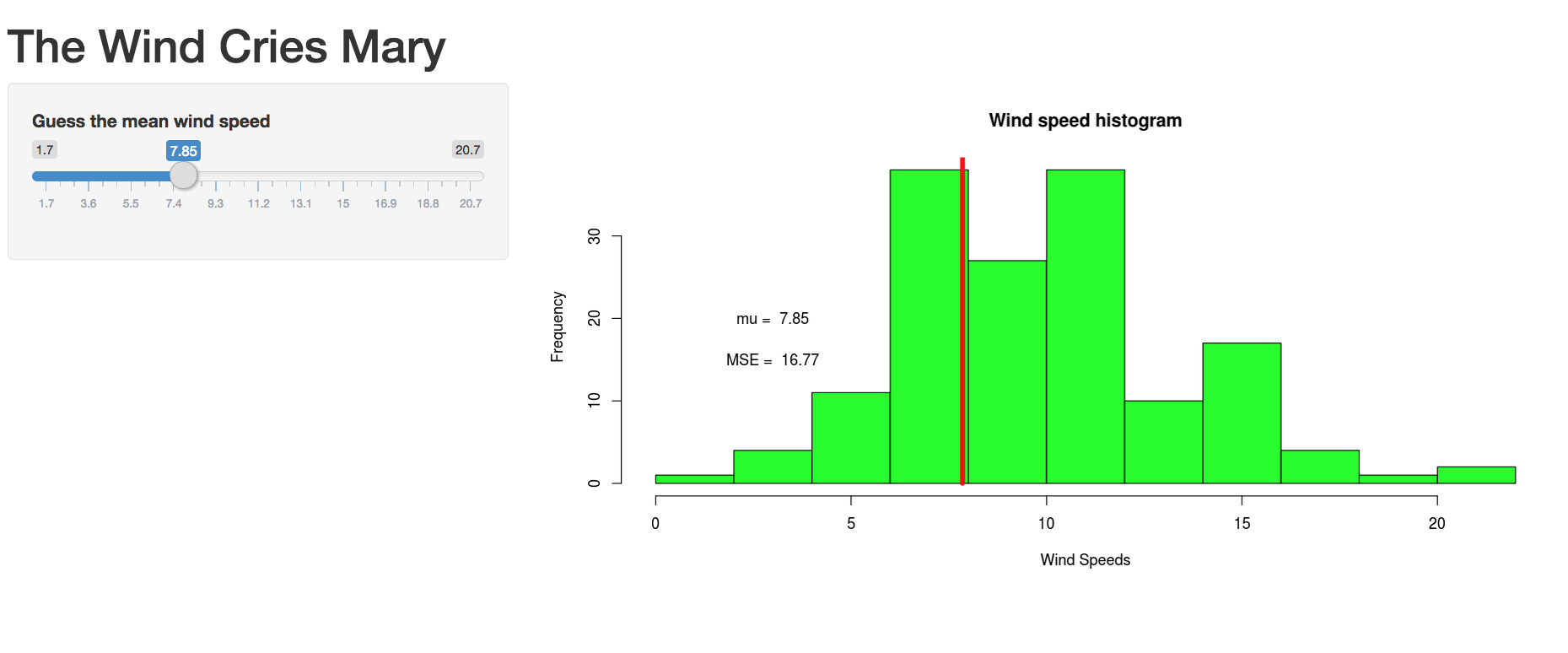
The App takes wind data from the 'airquality' data set in RStudio, and allows you to guess mean value for the that wind data

The App has a histogram of the wind data, as well as values for the estimated mean (called mu in the App) and current mean squared error (called MSE in the App)

By manipulating the slider and looking at the mean square error value, you can estimate the mean by stopping at what you think is the minimum mean square error value
Basic instructions for running the App

  1. Run the Shiny app from within RStudio with the following command:

runGitHub( "data_prod_project", "airsafe")

or directly form th Shiny server at https://airsafe.shinyapps.io/first_cut/"

  1. Enter your guess for the mean of the wind speeds on the slider
  2. Move the slider around and watch how the mean square error (MSE) changes
  3. Keep moving until you get what you think is the minimum
  4. Write down your guess
  5. After you are done, go to the last slide to see how close your guess was

The answer, and background information

The server.R and ui.R files behind the App are availalble on GitHub at https://github.com/airsafe/data_prod_project

The actual mean of the data (mu) is 9.958, with mean square error (MSE) of 12.33042, which is given by the following equation:

MSE <- mean((airquality$Wind - mean(airquality$Wind))2)

and with the following value:

## [1] 12.33042

What it looks like in action

Shiny app