class: center, middle, inverse, title-slide # ggplot ## ⚔<br/>with xaringan ### xinyi wu ### RStudio, Inc. ### 2019/11/10 (updated: 2019-11-11) --- background-image: url(https://upload.wikimedia.org/wikipedia/commons/b/be/Sharingan_triple.svg) ??? Image credit: [Wikimedia Commons](https://commons.wikimedia.org/wiki/File:Sharingan_triple.svg) --- class: center, middle # xaringan ### /ʃaː.'riŋ.ɡan/ --- class: inverse, center, middle # Get Started --- # Hello World Install the **xaringan** package from [Github](https://github.com/yihui/xaringan): ```r devtools::install_github("yihui/xaringan") ``` -- You are recommended to use the [RStudio IDE](https://www.rstudio.com/products/rstudio/), but you do not have to. - Create a new R Markdown document from the menu `File -> New File -> R Markdown -> From Template -> Ninja Presentation`;<sup>1</sup> -- - Click the `Knit` button to compile it; -- - or use the [RStudio Addin](https://rstudio.github.io/rstudioaddins/)<sup>2</sup> "Infinite Moon Reader" to live preview the slides (every time you update and save the Rmd document, the slides will be automatically reloaded in RStudio Viewer. .footnote[ [1] 中文用户请看[这份教程](http://slides.yihui.name/xaringan/zh-CN.html) [2] See [#2](https://github.com/yihui/xaringan/issues/2) if you do not see the template or addin in RStudio. ] --- # Hi girl 总结步骤如下 1. 输出图片**主题**的设置 1. 输出图片**图例**的设置 参考哈德利.威科姆的ggplot2数据分析与图形艺术 --- class: inverse, middle, center # Using xaringan --- ## 加载包,导数据 ```r #就用最近在用的数据吧 haha <- read_csv("./child2016change.csv") ``` ``` ## Parsed with column specification: ## cols( ## age = col_double(), ## gender = col_double(), ## urban = col_double(), ## edu_expect = col_double(), ## parents_edu = col_double(), ## finc = col_double(), ## care_edu = col_double(), ## communicate = col_double(), ## total_care = col_double(), ## tutor_fees_log = col_double(), ## school_fees_log = col_double(), ## other_log = col_double() ## ) ``` ```r haha %>% head() ``` ``` ## # A tibble: 6 x 12 ## age gender urban edu_expect parents_edu finc care_edu communicate ## <dbl> <dbl> <dbl> <dbl> <dbl> <dbl> <dbl> <dbl> ## 1 15 0 1 12 6 11.8 3 3 ## 2 10 1 1 16 6 11.8 4 4 ## 3 15 0 1 16 6 11.5 4 5 ## 4 15 0 1 16 12 12.6 4 4 ## 5 11 1 1 15 12 12.5 4 4 ## 6 14 0 1 15 6 11.0 4 4 ## # ... with 4 more variables: total_care <dbl>, tutor_fees_log <dbl>, ## # school_fees_log <dbl>, other_log <dbl> ``` --- ## 666 ```r DT::datatable( head(haha, 10), fillContainer = FALSE, options = list(pageLength = 5) ) ``` <div id="htmlwidget-54e42bc780d7f08407ac" style="width:100%;height:auto;" class="datatables html-widget"></div> <script type="application/json" data-for="htmlwidget-54e42bc780d7f08407ac">{"x":{"filter":"none","fillContainer":false,"data":[["1","2","3","4","5","6","7","8","9","10"],[15,10,15,15,11,14,12,15,14,10],[0,1,0,0,1,0,0,1,1,1],[1,1,1,1,1,1,1,1,1,1],[12,16,16,16,15,15,15,16,19,16],[6,6,6,12,12,6,9,6,9,6],[11.8493977015914,11.8493977015914,11.5089174435727,12.6115377536383,12.4837043821285,11.0020998412042,10.8197782844103,11.6952470217642,11.9183905730784,9.10497985631836],[3,4,4,4,4,4,4,4,4,2],[3,4,5,4,4,4,4,3,4,2],[2.16666666666667,3.5,3.33333333333333,3.66666666666667,3.5,2.83333333333333,3.66666666666667,2.5,2.5,2],[0,5.74498065686129,0,5.74498065686129,5.74498065686129,0,5.74498065686129,5.74498065686129,5.74498065686129,5.74498065686129],[8.00636756765025,7.59771384787113,8.1605182474775,7.59771384787113,7.59771384787113,8.00636756765025,7.59771384787113,7.59771384787113,7.59771384787113,7.59771384787113],[5.7037824746562,5.23882852725161,0,5.23882852725161,5.23882852725161,6.21460809842219,5.23882852725161,5.23882852725161,5.23882852725161,5.23882852725161]],"container":"<table class=\"display\">\n <thead>\n <tr>\n <th> <\/th>\n <th>age<\/th>\n <th>gender<\/th>\n <th>urban<\/th>\n <th>edu_expect<\/th>\n <th>parents_edu<\/th>\n <th>finc<\/th>\n <th>care_edu<\/th>\n <th>communicate<\/th>\n <th>total_care<\/th>\n <th>tutor_fees_log<\/th>\n <th>school_fees_log<\/th>\n <th>other_log<\/th>\n <\/tr>\n <\/thead>\n<\/table>","options":{"pageLength":5,"columnDefs":[{"className":"dt-right","targets":[1,2,3,4,5,6,7,8,9,10,11,12]},{"orderable":false,"targets":0}],"order":[],"autoWidth":false,"orderClasses":false,"lengthMenu":[5,10,25,50,100]}},"evals":[],"jsHooks":[]}</script> --- ### 基础图,没含义 ```r basic <- ggplot(haha,aes(x = tutor_fees_log,y = school_fees_log , alpha = total_care)) + geom_point(color = "red") + theme_set(theme_bw()) + labs(title = "HAPPY") basic ``` <!-- --> --- #### element_text()绘制标签和标题 ```r basic + theme(plot.title = element_text(size = 20,color = "pink")) ``` <!-- --> --- ```r basic + theme(plot.title = element_text(size = 20, color = "pink",hjust = 1)) ``` <!-- --> --- ```r basic + theme(plot.title = element_text(size = 20, color = "pink",face = "bold",angle = 3)) ``` <!-- --> ### element_line()绘制线条图中或线段 --- ```r basic + theme(panel.grid.major = element_line(colour = "blue",size = 0.5,linetype = "dotted")) ``` <!-- --> ```r basic + theme(panel.grid.major = element_line(colour = "blue", size = 1,linetype = "dashed")) ``` <!-- --> --- ### element_rect()绘制图之外的背景 ```r basic + theme(plot.background = element_rect(fill = "#3366FF")) ``` <!-- --> --- ```r basic + theme(plot.background = element_rect(colour = "red", linetype = "dotted",size = 5)) ``` <!-- --> --- # 保存上一个执行的图片 ```r ggsave(file = "outputtt.png",width = 6,height = 6,dpi = 300) ``` --- # Some Tips An example of using the trailing comment `#<<` to highlight lines: ````markdown ```{r tidy=FALSE} library(ggplot2) ggplot(mtcars) + aes(mpg, disp) + geom_point() + #<< geom_smooth() #<< ``` ```` Output: ```r library(ggplot2) ggplot(mtcars) + aes(mpg, disp) + * geom_point() + * geom_smooth() ``` --- class: center # Hand seals (印) Press `h` or `?` to see the possible ninjutsu you can use in remark.js. 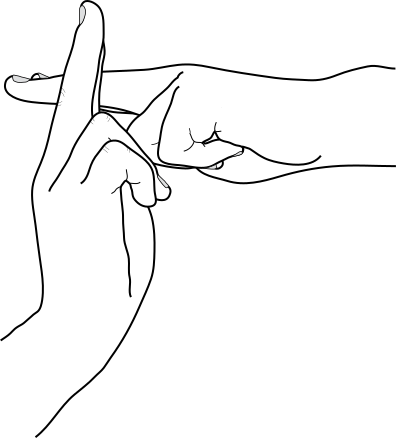 这种PPT的方式不太适合,886 --- class: center, middle # Thanks! Slides created via the R package [**xaringan**](https://github.com/yihui/xaringan). The chakra comes from [remark.js](https://remarkjs.com), [**knitr**](http://yihui.name/knitr), and [R Markdown](https://rmarkdown.rstudio.com).