- An introduction to R and applications (Lecture ~30 minutes)
- R in context (see theWiki page), R for Data Science
Spatial data and the 'tidyverse' (~30 minutes)
- Practical: Attribute data operations (Practical ~120 minutes)
- See Chapter 3 of Geocomputation with R
- And 17 exercises at the end
- Advanced challenge (optional): Cycle infrastructure, short car journeys and green space in a city of your choice (30 minute)
- Go to http://www.pct.bike/, go to Region Data and download data
- Make some maps and summarise the data data
- Where are the most short car trips in the region?
- What % of routes pass within 500 m of a park?
Slides: github.com/ITSLeeds/R4TS
Overview
Further resources (from easy to hard)
- R for Data Science: http://r4ds.had.co.nz/
- An introduction to stplanr (R vignette): https://cran.r-project.org/web/packages/stplanr/vignettes/introducing-stplanr.html
- stplanr: a package for transport planning: https://cran.r-project.org/web/packages/stplanr/vignettes/stplanr-paper.html
- Geocomputation with R (work in progress book): http://robinlovelace.net/geocompr/
- An introduction to GitHub for learning and research: https://github.com/jfiksel/github-classroom-for-students
- A blog about the bikedata package (also see dodgr/stplanr): https://ropensci.org/blog/2017/10/17/bikedata/
- Want more data access? See here: http://robinlovelace.net/geocompr/read-write.html
Resources
The course website/wiki is github.com/ITSLeeds/R4TS
- Course overview: in the courses folder
- Slides: Available from rpubs.com/robinlovelace and the slides folder
- Printed material:
- Introduction to Visualising Spatial Data with R
- Simple Features for Geographic Data: an Introduction
- stplanr: A package for Transport Planning (stplanr-paper for short, available from github.com/ropensci/stplanr), a detailed account of how to use spatial data in R as part of a transport planning workflow.
Why R?
Features
Source: https://www.r-bloggers.com/on-the-growth-of-cran-packages/
R is an extremely flexible and (with the help of add-on packages) powerful language.

Scalability
As datasets have grown, so has the importance of efficient computing.
- R was designed for efficiency - lots of 'leg-work' done in C
- R is conducive to cloud and parallel computing
- Easy to parallelise
Visualisation
source: https://github.com/Robinlovelace/GIS4TA
- Vital for communication
- Increasingly interactive

The R language
R as a giant calculator
5 * 5
1 + 4 * 5
4 * 5 ^ 2
Functions and objects
In R:
- Everything that exists is an object
- Everything that happens is a function
E.g., load a data object and find its dimension:
data(mpg, package = "ggplot2") # load the object mpg
dim(mpg) # use a function (dim) to do something with it
## [1] 234 11
Objects
- R is object-orientated
- Objects persist in memory for the duration of the session
- Objects are usually assigned by the
<-or=operator (usually identical) - Any names can be give to R objects, except special characters like
\ - Exercise: what do these commands do?
a = 1
b = 2
c = "c"
x_thingy = 4
a + b
a * b
a + c
a / x_thingy
Adding and removing objects
ls()
## [1] "a" "b" "c" "mpg" "x_thingy"
x <- x_thingy
rm(x_thingy)
x
## [1] 4
ls()
## [1] "a" "b" "c" "mpg" "x"
Functions
"R, at its heart, is a functional programming (FP) language. This means that it provides many tools for the creation and manipulation of functions."
- All functions have brackets (to run)
- The arguments of the functions go in the brackets
replicate(n = 3, expr = x)
## [1] 4 4 4
exp(x)
## [1] 54.59815
Basic plotting
x = 1:9
y = x^2
plot(x = x, y =y)

Demonstration then exercise: Getting used to RStudio and R
- Open RStudio and have a look around
- Create a new project
- Create a new R Script: pass code to the console with
Ctl-Enter - Use R as a calculator: what is:
- Explore each of the 'panes'
- Find and write down some useful shortcuts (
Alt-Shift-Kon Windows/Linux)
R/RStudio tricks
Printing the result during assignment
# Assignment of x
x <- 5
x
## [1] 5
# A trick to print x
(x <- 5)
The console or the script pane?
- Is it part of a longer story that will ultimately be shared? (use script files)
- Is it just playing that does not need to be stored? (use the console)
You can switch effortlessly between them with Ctl+1 and Ctl+2.
Assignment
- Be warned: easy to overwrite data
x = 5 # the same as x <- 5
(x = x + 1)
## [1] 6
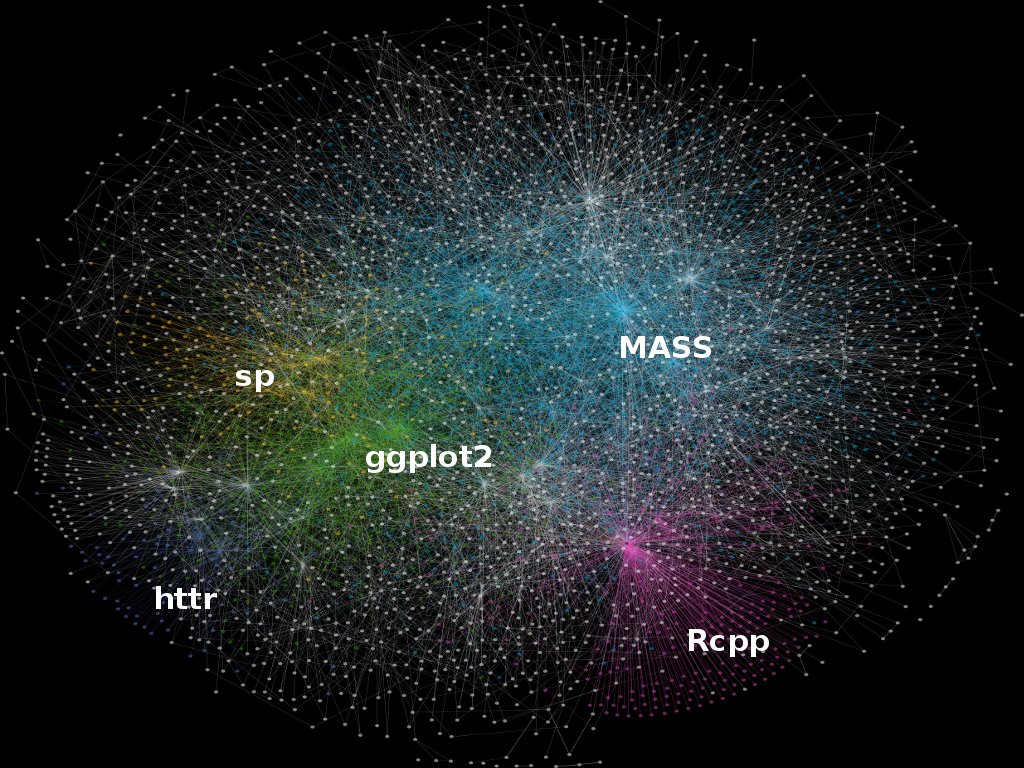
The R ecosystem
Choosing packages
- With so many packages, simply choosing the right package can be hard work!
- Fortunately there are well-known ways to decide on which package to use (see section 4.4 of Efficient R Programming):
- Is it mature?
- Is it actively developed?
- Is it well documented?
- Is it well used?
- It's worth spending the time thinking about this: can save you hours later on
Getting help
- As described in Chapter 10 of Efficient R Programming, one of the most important R programming skills is learning how to learn
- A great advantage of R is its strong community
- R's internal documentation is terse but good - try this:
?plot
vignette("plotexample")
- It's worth being aware of different help forums:
- stackoverflow.com/ and related sites such as gis.stackexchange.com/
- Email lists such as r-sig-geo
- Increasingly: GitHub issue
- Good old fashioned email
Exercises (in groups)
- Think about the kind of data and analysis you'll be using R for
- Which packages have you be using to date? (if any)
- Find 3 packages that could help: think about pros and cons
- What are the alternatives to R for this work?