Rena Chen
November 2, 2015
ggplot2 is a unique R package used for data visualization and producing plots.
It produces fantastic-looking graphics and allows one to slice and dice data in many different ways.
Official documentation here.
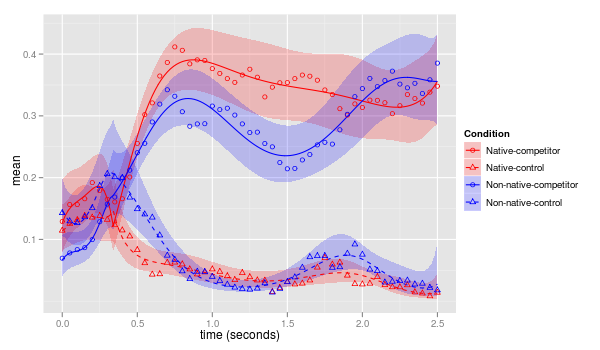
It is based on the grammar of graphics:
To display data values:
Get the package:
install.packages("ggplot2")
library(ggplot2)
Consider the sample dataset:
admit testscores gpa rank
1 0 380 3.61 3
2 1 660 3.67 3
3 1 800 4.00 1
4 1 640 3.19 4
5 0 520 2.93 4
6 1 760 3.00 2
7 1 560 2.98 1
8 0 400 3.08 2
Selecting specific rows:
admit <- read.csv("binary.csv")
# By GPA
admit[admit$gpa>3.80,]
# By GPA & Admit
admit[admit$gpa>3.80 & admit$admit==1,]
Determine the number of students admitted with rank>=3
nrow(admit[admit$rank>=3 & admit$admit==1,])
[1] 40
Plot:
Code:
clrs <- c("black", "red", "blue", "green")[as.numeric(admit$rank)]
plot(admit$gpa, admit$testscores, xlab = "GPA", ylab = "Test Score", pch = 16, col = clrs, cex = 0.8, main = "GPA vs. Test Score")
legend("topleft", legend = c("Rank 1", "Rank 2", "Rank 3", "Rank 4"), cex = 0.8, col = c("black", "red", "blue", "green"))
library(ggplot2)
Scatterplot:
plot <- ggplot(data = admit, aes(x=gpa, y=testscores, col = rank))
plot <- plot + geom_point(size = 3)
plot <- plot + xlab("GPA") + ylab("Test Scores") + ggtitle("GPA vs. Test Scores")
Continuous Scale:
Code:
plot <- ggplot(data = admit, aes(x=gpa, y=testscores, col = factor(rank)))
plot <- plot + geom_point(size = 3) + scale_color_discrete(name = "Rank")
plot <- plot + xlab("GPA") + ylab("Test Scores") + ggtitle("GPA vs. Test Scores")
plot
Discrete Scale:
Code: Admit/No Admit Data
plot <- ggplot(data = admit, aes(x=gpa, y=testscores, col = factor(rank)))
plot <- plot + geom_point(aes(shape = factor(admit)), size = 3) + scale_color_discrete(name = "Rank") + scale_shape_discrete(name = "Admit", labels = c("No", "Yes"))
plot <- plot + xlab("GPA") + ylab("Test Scores") + ggtitle("GPA vs. Test Scores")
plot
Graph: Admit/No Admit Data
Group by rank
Group by rank
c <- ggplot(data = admit, aes(factor(rank), fill = factor(rank)))
c <- c + geom_bar(width = 0.8) + scale_fill_discrete(name = "Rank", labels = c(1,2,3,4))
c <- c + xlab("Rank") + ylab("Frequency") + ggtitle("Group by Rank")
We've so far seen:
There are many others that take a similar format: scale_xxx_yyy
Here are some commonly-used values for xxx and yyy:
| xxx | Description |
|---|---|
| colour | Color of lines and points |
| fill | Color of area fills (e.g. bar graph) |
| linetype | Solid/dashed/dotted lines |
| shape | Shape of points |
| size | Size of points |
| alpha | Opacity/transparency |
| yyy | Description |
|---|---|
| discrete | Discrete values (e.g., colors, point shapes, line types, point sizes) |
| continuous | Continuous values (e.g., alpha, colors, point sizes) |
| gradient | Color gradient |
Suppose we wanted to see how many students in each rank category were admitted.
Code:
sb <- ggplot(data = admit, aes(factor(rank), fill = factor(admit)))
sb <- sb + geom_bar(width = 0.8) + scale_fill_discrete(name = "Admit", labels = c("No", "Yes"))
sb <- sb + xlab("Rank") + ylab("Frequency") + ggtitle("Group by Rank")
sb
qplot() - Creates a complete plot with given data, geom, and mappings, Supplies many useful defaults.
qplot(x = cty, y = hwy, color = cyl, data = mpg, geom = "point")
ggplot() - Begins a plot that you finish by adding layers to. No defaults, but provides more control than qplot().
ggplot(data = mpg, aes(x = cty, y = hwy)) + geom_point(aes(color = cyl)) + ... + coord_flip()
Suppose we wanted to see the number of students that fall in each interval of GPA.
Code:
hist <- qplot(gpa, data = admit, geom = "histogram", binwidth = 0.1, xlab = "GPA", ylab = "Frequency", main = "GPA Ranges")
hist
ggplot() Code:
hist <- ggplot(data = admit, aes(x = gpa)) + geom_histogram(binwidth = 0.1, aes(fill = ..count..))
hist <- hist + ggtitle("GPA Ranges") + xlab("GPA") + ylab("Frequency")
hist
For gradient fill:
hist + geom_histogram(aes(fill = ..count..)) + scale_fill_gradient("Count", low = "green", high = "red")
ggplot() Plot:
Create a box plot showing the range of test scores.
Code:
boxplot <- ggplot(data = admit, aes(factor(admit), testscores)) + geom_boxplot(aes(fill = factor(admit)))
boxplot <- boxplot + ggtitle("Admission Testscores") + xlab("admit") + ylab("Test Scores") + scale_fill_discrete(name = "Admit", labels = c("No", "Yes"))
boxplot
Consider the following economics dataset:
date pce pop psavert uempmed unemploy
1 1967-06-30 507.8 198712 9.8 4.5 2944
2 1967-07-31 510.9 198911 9.8 4.7 2945
3 1967-08-31 516.7 199113 9.0 4.6 2958
4 1967-09-30 513.3 199311 9.8 4.9 3143
5 1967-10-31 518.5 199498 9.7 4.7 3066
6 1967-11-30 526.2 199657 9.4 4.8 3018
Line Plots:
time_s <- ggplot(data = economics, aes(x = date, y = unemploy))
time_s <- time_s + geom_line()
time_s <- time_s + xlab("Date") + ylab("Unemployment") + ggtitle("Unemployment Time Series")
time_s
Adding some statistical transformation to this series:
We added geom_smooth()
time_s <- time_s + geom_line() + geom_smooth()
geom_smooth() - this is esssentially ggplot's built-in model fitting tool that allows you to plot the fits from any model of your choosing
In R, you can specify how many plots you want on a certain page, for instance:
par(mfrow=c(2,2))
In ggplot2, you can use the multiplot function.
multiplot(p1, p2, p3, p4, cols=2)
multiplot <- function(..., plotlist=NULL, file, cols=1, layout=NULL) {
library(grid)
# Make a list from the ... arguments and plotlist
plots <- c(list(...), plotlist)
numPlots = length(plots)
# If layout is NULL, then use 'cols' to determine layout
if (is.null(layout)) {
# Make the panel
# ncol: Number of columns of plots
# nrow: Number of rows needed, calculated from # of cols
layout <- matrix(seq(1, cols * ceiling(numPlots/cols)),
ncol = cols, nrow = ceiling(numPlots/cols))
}
...
...
}
Controlling x-axis and y-axis limits and range:
m <- qplot(rating, votes, data=subset(movies, votes > 1000), na.rm = TRUE)
# Control x range
m <- m + scale_x_continuous(limits=c(7, 8))
# Control y range
m <- m + scale_y_continuous(limits=c(1000, 10000))
# or ...
m + xlim(7, 8)
m + ylim(1000, 10000)
Controlling x-axis and y-axis breaks: choosing where the ticks appear
# Breaks: 1 to 10
m + scale_x_continuous(breaks=1:10)
Controlling x-axis and y-axis breaks: choosing where the ticks appearand label them.
# Labelling breaks
m + scale_x_continuous(breaks=c(2,5,8), labels=c("horrible", "ok", "awesome"))
Sometimes having too many legends can overcrowd your graphs, especially when you use the multiplot function.
Code:
# Remove legend for a particular aesthetic (fill)
bp + guides(fill=FALSE)
# It can also be done when specifying the scale
bp + scale_fill_discrete(guide=FALSE)
# This removes all legends
bp + theme(legend.position="none")