class: center, middle, inverse, title-slide .title[ # Presentation Ninja ] .subtitle[ ## Simple, powerful, limitless… ] .author[ ### Denia Dwi Citra Resmi, Eno Aulia Hapsari, Restu Fitria, Muhammad Isa Ananta ] .institute[ ### IPB University ] .date[ ### (updated: 2024-04-21) ] --- class: center, middle class: inverse, middle, center background-image: url(https://upload.wikimedia.org/wikipedia/commons/3/39/Naruto_Shiki_Fujin.svg) background-size: contain # xaringan ### /ʃaː.'riŋ.ɡan/ --- class: inverse, center, middle background-image: url(https://upload.wikimedia.org/wikipedia/commons/b/be/Sharingan_triple.svg) background-position: 50% 60% background-size: contain # ... 'some' xaringan highlights ... --- class: center, inverse background-image: url(https://github.com/yihui/xaringan/releases/download/v0.0.2/karl-moustache.jpg) # Use background images --- ## Use R code and show output ```r library(ggplot2) ggplot(data=iris,aes(x=Sepal.Width, y=Sepal.Length,color=Species)) + geom_point() + geom_smooth(se=FALSE) +facet_wrap(~Species,scale='free_y') +theme_minimal() ``` ``` ## `geom_smooth()` using method = 'loess' and formula = 'y ~ x' ``` <!-- --> --- background-image: url(https://user-images.githubusercontent.com/163582/53144527-35f7a500-3562-11e9-862e-892d3fd7036d.gif) background-position: 40% 45% background-size: 70% ## How to Build Presentations in RStudio with xaringan .footnote[ [1] See [#2](https://github.com/yihui/xaringan/issues/2) if you do not see the template or addin in RStudio. Review this site for more information about the [Infinite Moon Reader](https://yihui.name/en/2019/02/ultimate-inf-mr/) Source: [Xie, Y. (2019). The Ultimate Infinite Moon Reader for xaringan Slides](https://yihui.name/en/2019/02/ultimate-inf-mr/) ] --- class: center, middle # Installation of xaringan! --- ## Getting started **Step 1.** Install the `xaringan` package from Github ```r # install.packages("devtools") remotes::install_github("yihui/xaringan") ``` **Step 2.** Load the `xaringan` package ```r library(xaringan) ``` Install the **xaringan** package from [Github](https://github.com/yihui/xaringan): ```r remotes::install_github("yihui/xaringan") ``` --- class: center, middle ## Some technical to make slides! --- name: placement ## Placement <i class="fas fa-th-large" style = "float right"></i> --- template: placement ### Align an entire slide .left-column[ Horizontally ```r left *center, right ``` Vertically ```r top, *middle, bottom ``` ] -- .right-column[ ```r --- *class: center, middle # Slide with centered content in the middle This content is also centered and in the middle of the slide --- ``` .right[.my-coral[example on next slide <svg aria-hidden="true" role="img" viewBox="0 0 512 512" style="height:1em;width:1em;vertical-align:-0.125em;margin-left:auto;margin-right:auto;font-size:inherit;fill:currentColor;overflow:visible;position:relative;"><path d="M0 256a256 256 0 1 0 512 0A256 256 0 1 0 0 256zM281 385c-9.4 9.4-24.6 9.4-33.9 0s-9.4-24.6 0-33.9l71-71L136 280c-13.3 0-24-10.7-24-24s10.7-24 24-24l182.1 0-71-71c-9.4-9.4-9.4-24.6 0-33.9s24.6-9.4 33.9 0L393 239c9.4 9.4 9.4 24.6 0 33.9L281 385z"></path></svg> ]] ] --- class: center, middle # Slide with centered content and aligned with the middle This content is also centered and aligned with the middle of the slide --- template: placement ### Align only some text .left-column[ Horizontal only ```r .left[words] .center[words] .right[words] ``` ] -- .right-column[ ```r --- class: center, middle # Slide with some text aligned .left[We can start writing a sentence on the left...] .right[...and finish it on the right.] --- ``` .right[.my-coral[example on next slide <svg aria-hidden="true" role="img" viewBox="0 0 512 512" style="height:1em;width:1em;vertical-align:-0.125em;margin-left:auto;margin-right:auto;font-size:inherit;fill:currentColor;overflow:visible;position:relative;"><path d="M0 256a256 256 0 1 0 512 0A256 256 0 1 0 0 256zM281 385c-9.4 9.4-24.6 9.4-33.9 0s-9.4-24.6 0-33.9l71-71L136 280c-13.3 0-24-10.7-24-24s10.7-24 24-24l182.1 0-71-71c-9.4-9.4-9.4-24.6 0-33.9s24.6-9.4 33.9 0L393 239c9.4 9.4 9.4 24.6 0 33.9L281 385z"></path></svg> ]] ] --- class: center, middle # Slide with some text aligned .left[We can start writing a sentence on the left...] .right[...and finish it on the right.] --- ## Plots <i class="fas fa-chart-bar" style = "float: right"></i> .pull-left[ ### Code --- ```r boxplot(iris) ``` ] .pull-right[ ### Plot ---- <!-- --> ] --- # Tables If you want to generate a table, make sure it is in the HTML format (instead of Markdown or other formats), e.g., ```r knitr::kable(head(iris), format = 'html') ``` <table> <thead> <tr> <th style="text-align:right;"> Sepal.Length </th> <th style="text-align:right;"> Sepal.Width </th> <th style="text-align:right;"> Petal.Length </th> <th style="text-align:right;"> Petal.Width </th> <th style="text-align:left;"> Species </th> </tr> </thead> <tbody> <tr> <td style="text-align:right;"> 5.1 </td> <td style="text-align:right;"> 3.5 </td> <td style="text-align:right;"> 1.4 </td> <td style="text-align:right;"> 0.2 </td> <td style="text-align:left;"> setosa </td> </tr> <tr> <td style="text-align:right;"> 4.9 </td> <td style="text-align:right;"> 3.0 </td> <td style="text-align:right;"> 1.4 </td> <td style="text-align:right;"> 0.2 </td> <td style="text-align:left;"> setosa </td> </tr> <tr> <td style="text-align:right;"> 4.7 </td> <td style="text-align:right;"> 3.2 </td> <td style="text-align:right;"> 1.3 </td> <td style="text-align:right;"> 0.2 </td> <td style="text-align:left;"> setosa </td> </tr> <tr> <td style="text-align:right;"> 4.6 </td> <td style="text-align:right;"> 3.1 </td> <td style="text-align:right;"> 1.5 </td> <td style="text-align:right;"> 0.2 </td> <td style="text-align:left;"> setosa </td> </tr> <tr> <td style="text-align:right;"> 5.0 </td> <td style="text-align:right;"> 3.6 </td> <td style="text-align:right;"> 1.4 </td> <td style="text-align:right;"> 0.2 </td> <td style="text-align:left;"> setosa </td> </tr> <tr> <td style="text-align:right;"> 5.4 </td> <td style="text-align:right;"> 3.9 </td> <td style="text-align:right;"> 1.7 </td> <td style="text-align:right;"> 0.4 </td> <td style="text-align:left;"> setosa </td> </tr> </tbody> </table> --- # Tables: DT package ```r library(DT) DT::datatable(head(iris, 10), fillContainer = FALSE, options = list(pageLength = 4)) ``` <div class="datatables html-widget html-fill-item-overflow-hidden html-fill-item" id="htmlwidget-b01ed06212a583102354" style="width:100%;height:auto;"></div> <script type="application/json" data-for="htmlwidget-b01ed06212a583102354">{"x":{"filter":"none","vertical":false,"fillContainer":false,"data":[["1","2","3","4","5","6","7","8","9","10"],[5.1,4.9,4.7,4.6,5,5.4,4.6,5,4.4,4.9],[3.5,3,3.2,3.1,3.6,3.9,3.4,3.4,2.9,3.1],[1.4,1.4,1.3,1.5,1.4,1.7,1.4,1.5,1.4,1.5],[0.2,0.2,0.2,0.2,0.2,0.4,0.3,0.2,0.2,0.1],["setosa","setosa","setosa","setosa","setosa","setosa","setosa","setosa","setosa","setosa"]],"container":"<table class=\"display\">\n <thead>\n <tr>\n <th> <\/th>\n <th>Sepal.Length<\/th>\n <th>Sepal.Width<\/th>\n <th>Petal.Length<\/th>\n <th>Petal.Width<\/th>\n <th>Species<\/th>\n <\/tr>\n <\/thead>\n<\/table>","options":{"pageLength":4,"columnDefs":[{"className":"dt-right","targets":[1,2,3,4]},{"orderable":false,"targets":0}],"order":[],"autoWidth":false,"orderClasses":false,"lengthMenu":[4,10,25,50,100]}},"evals":[],"jsHooks":[]}</script> --- # Leaflet ```r library(leaflet) leaflet() %>% addTiles() %>% setView(-93.65, 42.0285, zoom = 17) ``` <div class="leaflet html-widget html-fill-item-overflow-hidden html-fill-item" id="htmlwidget-71d41e3f2417656d373a" style="width:100%;height:432px;"></div> <script type="application/json" data-for="htmlwidget-71d41e3f2417656d373a">{"x":{"options":{"crs":{"crsClass":"L.CRS.EPSG3857","code":null,"proj4def":null,"projectedBounds":null,"options":{}}},"calls":[{"method":"addTiles","args":["https://{s}.tile.openstreetmap.org/{z}/{x}/{y}.png",null,null,{"minZoom":0,"maxZoom":18,"tileSize":256,"subdomains":"abc","errorTileUrl":"","tms":false,"noWrap":false,"zoomOffset":0,"zoomReverse":false,"opacity":1,"zIndex":1,"detectRetina":false,"attribution":"© <a href=\"https://openstreetmap.org\">OpenStreetMap<\/a> contributors, <a href=\"https://creativecommons.org/licenses/by-sa/2.0/\">CC-BY-SA<\/a>"}]}],"setView":[[42.0285,-93.65000000000001],17,[]]},"evals":[],"jsHooks":[]}</script> --- class: center, middle # Hand seals (印) Press `h` or `?` to see the possible ninjutsu you can use in remark.js. 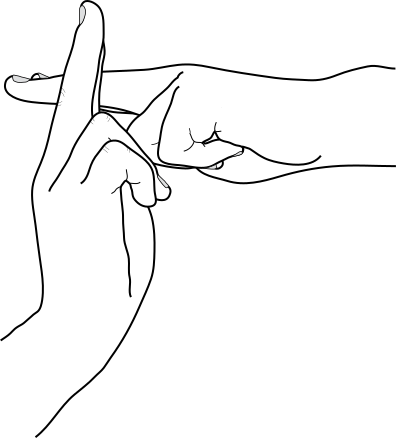 --- class: center, middle # Thank you! ## Any questions (???) Slides created via the R package [**xaringan**](https://github.com/yihui/xaringan). The chakra comes from [remark.js](https://remarkjs.com), [**knitr**](https://yihui.org/knitr/), and [R Markdown](https://rmarkdown.rstudio.com). The materials of this slide can be accessed in below: https://ipb.link/xaringan https://www.kirenz.com/project/r-xaringan/ https://www.biostatistics.dk/talks/CopenhagenRuseRs-2019/index.html#5