g.princals
It´s R-script to improve aesthetic plotting of princals function of
Gifi package
Proposal
g.princals is a function designed to address aesthetic issues
encountered when using plot.princals of “Gifi” package(1), which exclusively generates plots using a
“graphic” package. g.princals leverages the power of the ggplot2
package, renowned for producing high-quality visuals.this function just
produce, transplot, scree plot, loadplot and biplot for hierarchical
categoric variables(2).
Instruction
“g.princals” replaces the default “plot” function in R, generating
customized graphics for customer items. - x: call a object was generated
by princals(dataset). - plot.dim: Vector with dimensions to be plotted
with the default condition being set to c(1, 2). - var.subset: with the
default condition being set to”all” - max.plot.array: with the default
condition being set to 2. - stepvec: Vector whether step function should
be plotted (see details in princals/R Documentation).with the default
condition being set to NA. - col.lines: colour of line. Default
condition being set to “black”. - main: Title of picture. Default
condition being set to name of princals object. - show: Options to
choose are TRUE,FALSE,T,F,1 and 0. Default condition being set to “1”
mean it shows plots. - save: Options to choose are TRUE,FALSE,T,F,1 and
0. Default condition being set to “1” mean it saves plots. - name: label
or name of princals object. Default condition being set to name of
princals object. - units: unit of width/height in ‘mm’ - width: Default
condition being set to 250mm. - height: Default condition being set to
250mm. - res: resolution of pictures. Default condition being set to 300
pixels. - dispersion: dispersion of scores of object in loadplot.it is
decreased overdispersion or underdispersion. Default condition being set
to 3, it means, mean±3*standard deviation. - point.size.loadplot: it is
point size of loadplot. Default condition being set to 1. -
point.alpha.loadplot: it is point alpha(transparency) of loadplot.
Default condition being set to 0.1,
- language: choose a English or Spanish like language. Default condition
being set English. - legend.position: Options to choose are none, left,
right, bottom, and top. Default condition being set to right. it means
legend position is to right. - legend.group: Options to choose are
TRUE,FALSE,T,F,1 and 0. Default condition being set to “1” mean it shows
legend.
R code
Finally, it were showed a picture which generated by “g.princals”. If
the label names are lengthy, it’s advisable to shorten them into
acronyms.
################################################################################
setwd("~/file")
source("https://github.com/jasb3110/g.princals/blob/f286b26f79da57600c3e7f207a6f653f24028a76/g.princals.R)

library("Gifi")
# ordinal PCA
fitord <- princals(ABC,ndim = 2)## ordinal PCA
g.princals(fitord,save=0,show=1,dispersion =3,legend.group = 0)#show plots
g.princals(fitord,save=0,show=1,dispersion =3,colour.group = c(rep("A",5),rep("B",6)),legend.group = 1,language = "spanish")#show plots

g.princals(fitord,save=1,show=1,dispersion =3,legend.group = 0)#save plots in PNG format
g.princals(fitord,save=1,show=0,dispersion =3,colour.group = c(rep("A",5),rep("B",6)),legend.group = 1,language = "spanish")#save plots in PNG format
################################################################################
Output
In this section, an R script and corresponding plots created using
the g.princals function are presented in Spanish, and group of
variables.
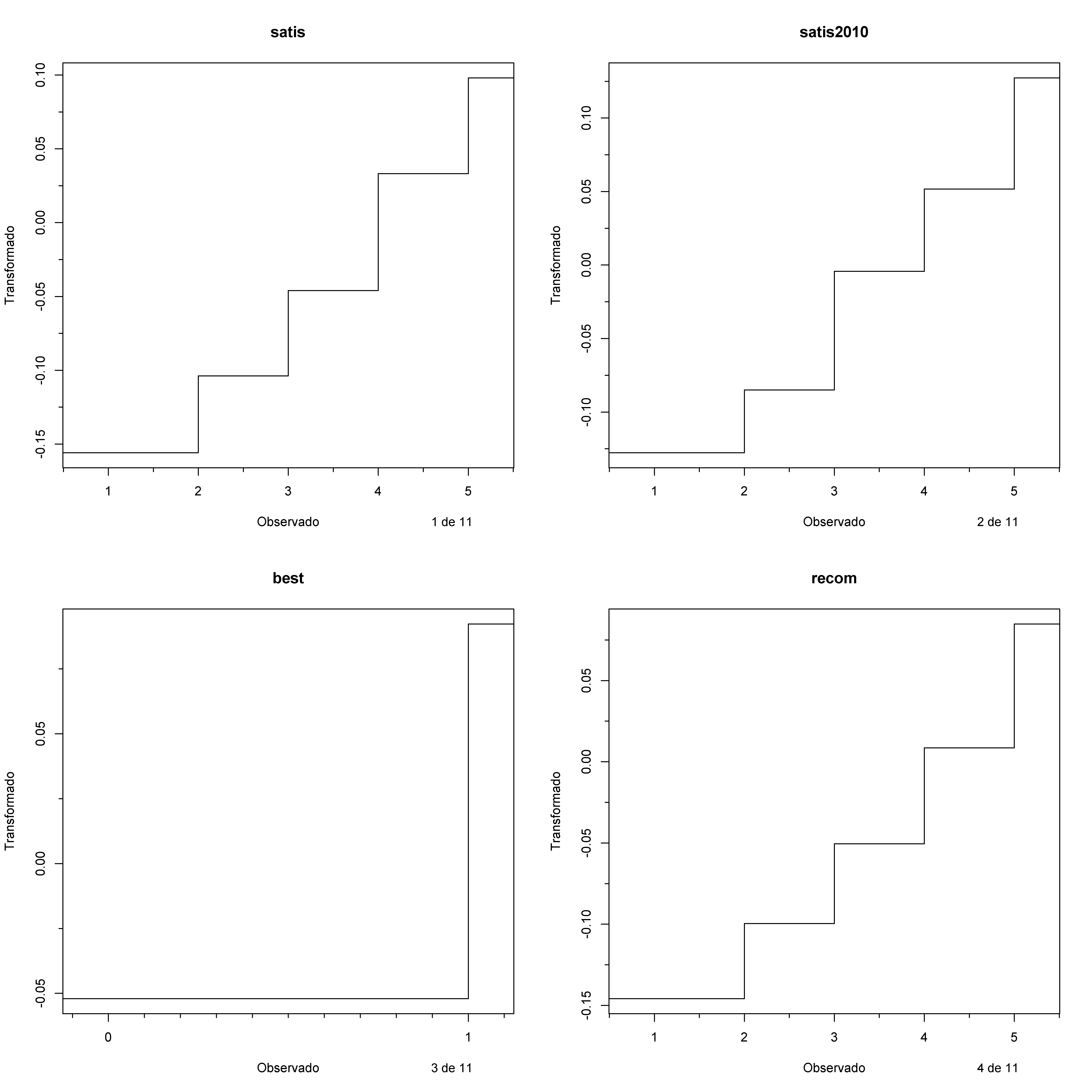
| Picture. Transplots of ABC dataset, just 1 to 4
variables |
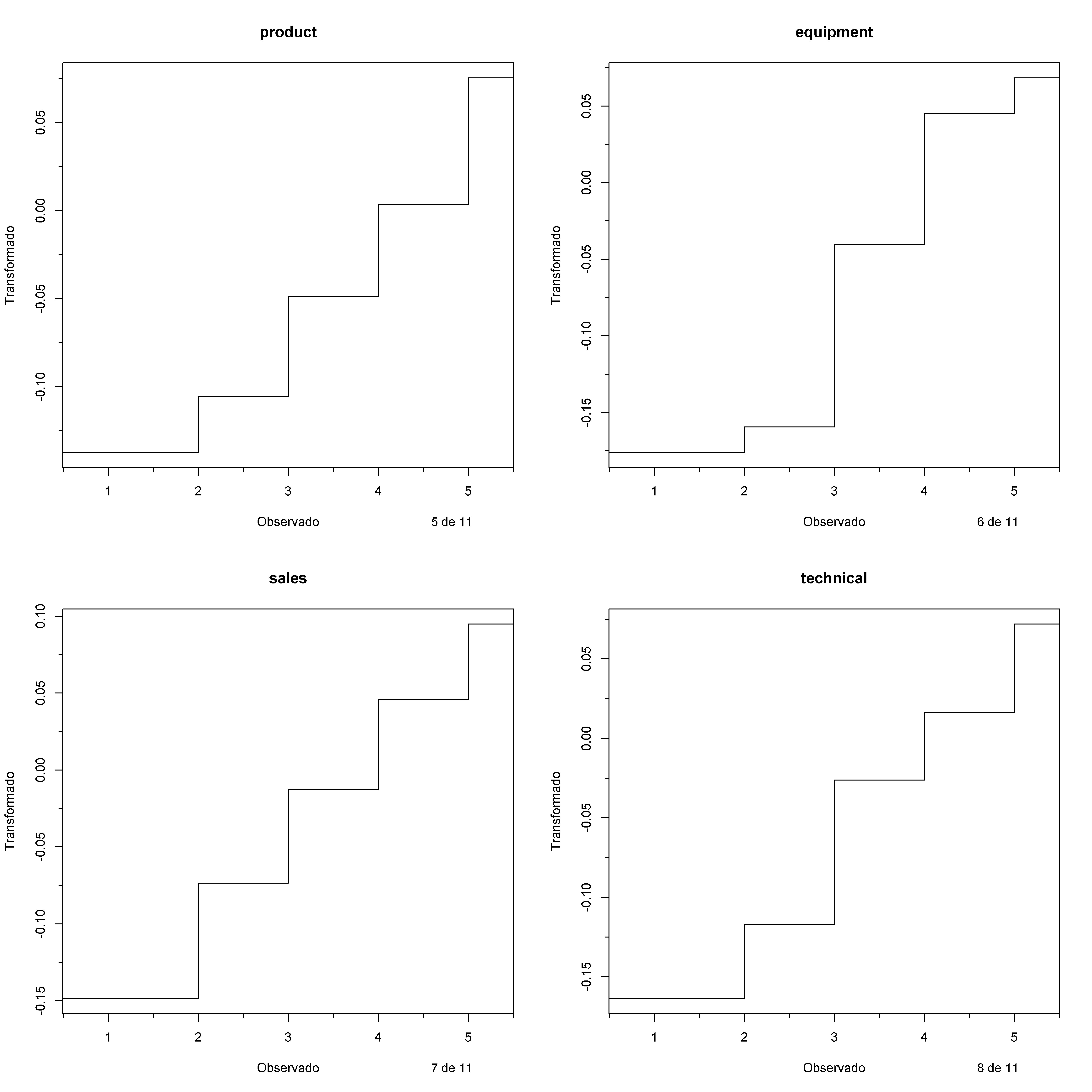
| Picture. Transplots of ABC dataset, just 5 to 8
variables |
| Picture. Transplots of ABC dataset, just 9 to 11
variables |
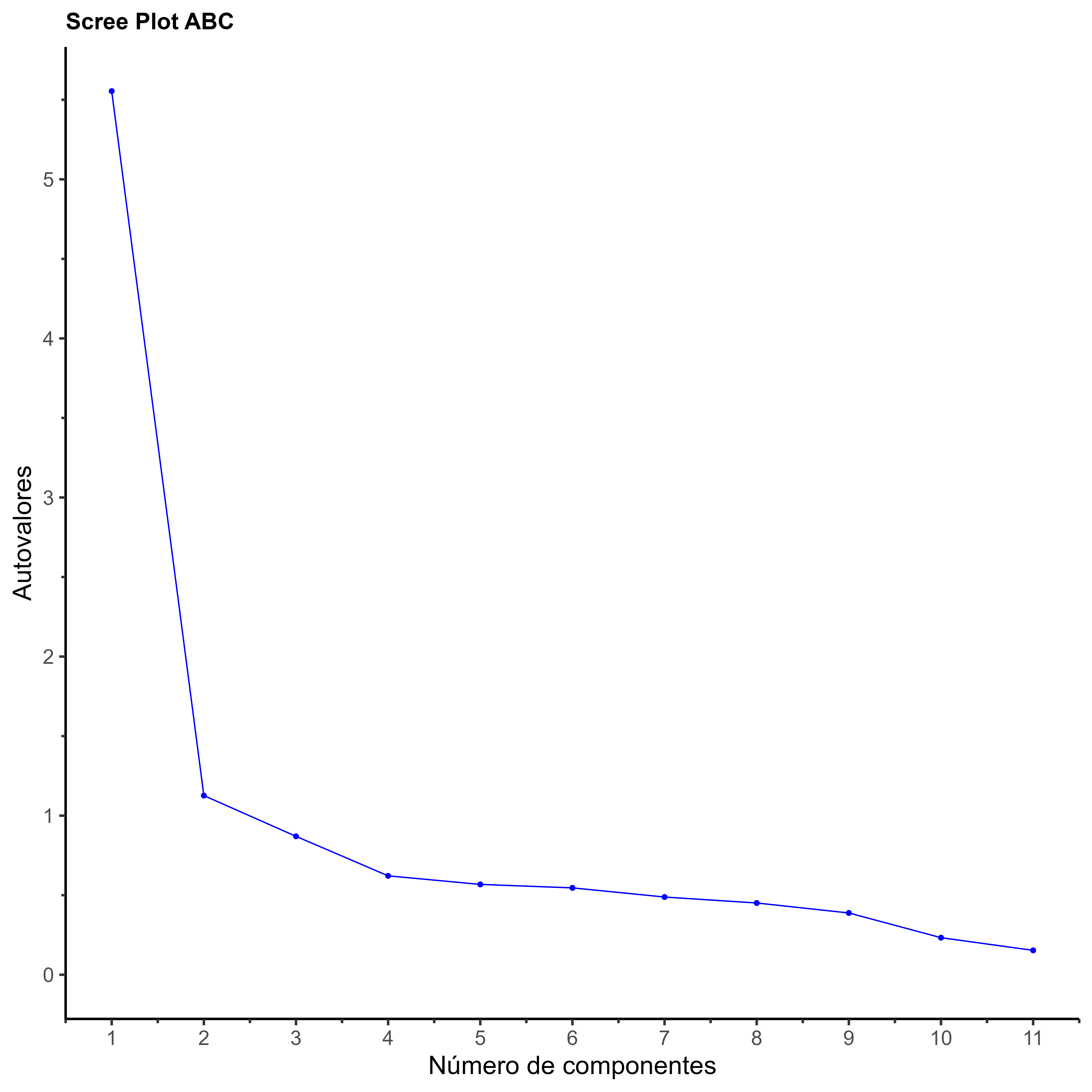
| Picture. Screeplot of ABC dataset |
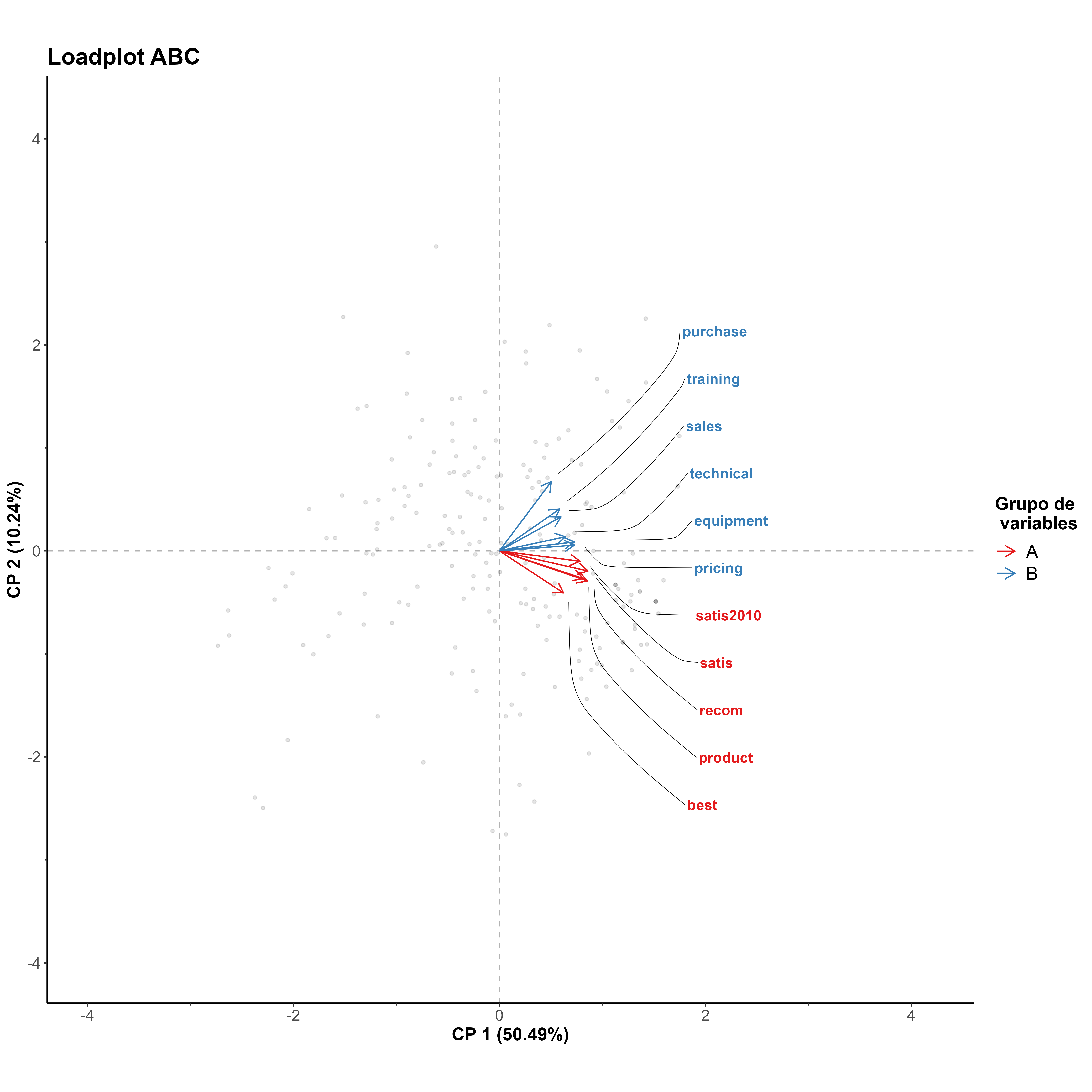
| Picture. Loadplot of ABC dataset |
| Picture. Biplot of ABC dataset |