- Clustering Analysis
- K-Means Clustering
Data Exploration and Preparation
Model Training
Model Evaluation
Agenda
CLustering Analysis
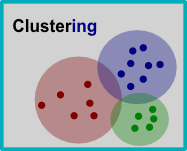
Cluster analysis is a unsupervised machine learning method in data mining
It is used for grouping a set of objects in such a way that objects in the same group (called a cluster) are more similar (in some sense) to each other than to those in other groups
Case Study - Identify Teen Market Segments
You are a marketing senior analyst in a global consulting firm. Your manager gave you a project to conduct a more in-depth analysis of teenagers’ market segments so that your customer firm will be able to extend their market of products and increase their retail sales.

You are brain-storming ideas for this project, and it suddenly occurs to you that interacting with friends on social media is a common way for teenagers to spend their time. This may be a potential way to identify segments of teenagers who share similar tests, so that clients can avoid targeting commercials with teens with no interest in the product being sold.

Load data
We will first load the Social Media data snsdata.csv from Canvas - Dataset module.
The data was sampled across our high school graduation years. The full text of their SNS profiles were scraped and each teen’s gender, age, and number of SNS friends were also recorded.
A text mining tool was used to divide the remaining content into words. The final dataset indicates how many times each word appeared in the person’s SNS profile.
    # load data
    library(ggplot2)
    teens <- read.csv("snsdata.csv", stringsAsFactors = TRUE)
Step 1: Explore and Preparing Data
We can first take a quick look at the dataset.
str(teens)
## 'data.frame':    30000 obs. of  40 variables:
##  $ gradyear    : int  2006 2006 2006 2006 2006 2006 2006 2006 2006 2006 ...
##  $ gender      : Factor w/ 2 levels "F","M": 2 1 2 1 NA 1 1 2 1 1 ...
##  $ age         : num  19 18.8 18.3 18.9 19 ...
##  $ friends     : int  7 0 69 0 10 142 72 17 52 39 ...
##  $ basketball  : int  0 0 0 0 0 0 0 0 0 0 ...
##  $ football    : int  0 1 1 0 0 0 0 0 0 0 ...
##  $ soccer      : int  0 0 0 0 0 0 0 0 0 0 ...
##  $ softball    : int  0 0 0 0 0 0 0 1 0 0 ...
##  $ volleyball  : int  0 0 0 0 0 0 0 0 0 0 ...
##  $ swimming    : int  0 0 0 0 0 0 0 0 0 0 ...
##  $ cheerleading: int  0 0 0 0 0 0 0 0 0 0 ...
##  $ baseball    : int  0 0 0 0 0 0 0 0 0 0 ...
##  $ tennis      : int  0 0 0 0 0 0 0 0 0 0 ...
##  $ sports      : int  0 0 0 0 0 0 0 0 0 0 ...
##  $ cute        : int  0 1 0 1 0 0 0 0 0 1 ...
##  $ sex         : int  0 0 0 0 1 1 0 2 0 0 ...
##  $ sexy        : int  0 0 0 0 0 0 0 1 0 0 ...
##  $ hot         : int  0 0 0 0 0 0 0 0 0 1 ...
##  $ kissed      : int  0 0 0 0 5 0 0 0 0 0 ...
##  $ dance       : int  1 0 0 0 1 0 0 0 0 0 ...
##  $ band        : int  0 0 2 0 1 0 1 0 0 0 ...
##  $ marching    : int  0 0 0 0 0 1 1 0 0 0 ...
##  $ music       : int  0 2 1 0 3 2 0 1 0 1 ...
##  $ rock        : int  0 2 0 1 0 0 0 1 0 1 ...
##  $ god         : int  0 1 0 0 1 0 0 0 0 6 ...
##  $ church      : int  0 0 0 0 0 0 0 0 0 0 ...
##  $ jesus       : int  0 0 0 0 0 0 0 0 0 2 ...
##  $ bible       : int  0 0 0 0 0 0 0 0 0 0 ...
##  $ hair        : int  0 6 0 0 1 0 0 0 0 1 ...
##  $ dress       : int  0 4 0 0 0 1 0 0 0 0 ...
##  $ blonde      : int  0 0 0 0 0 0 0 0 0 0 ...
##  $ mall        : int  0 1 0 0 0 0 2 0 0 0 ...
##  $ shopping    : int  0 0 0 0 2 1 0 0 0 1 ...
##  $ clothes     : int  0 0 0 0 0 0 0 0 0 0 ...
##  $ hollister   : int  0 0 0 0 0 0 2 0 0 0 ...
##  $ abercrombie : int  0 0 0 0 0 0 0 0 0 0 ...
##  $ die         : int  0 0 0 0 0 0 0 0 0 0 ...
##  $ death       : int  0 0 1 0 0 0 0 0 0 0 ...
##  $ drunk       : int  0 0 0 0 1 1 0 0 0 0 ...
##  $ drugs       : int  0 0 0 0 1 0 0 0 0 0 ...
Step 1: Explore and Preparing Data
The existence of NA in gender variable indicate the missing values. To examine how many miss data exist, - For categorical data, we can use table() function with an additional option. - For numerical data, we can use summary() function.
# look at missing data for female variable
table(teens$gender)
##
##     F     M
## 22054  5222
table(teens$gender, useNA = "ifany")
##
##     F     M  <NA>
## 22054  5222  2724
eliminate age outliers
Since our data include ages ranging from 3 years old to 106 years old, we need to narrow down the data to a more reasonable range for teens.
So we can use ifelse function to treat ages out of scope as NA as well.
# look at missing data for age variable
summary(teens$age)
##    Min. 1st Qu.  Median    Mean 3rd Qu.    Max.    NA's
##   3.086  16.312  17.287  17.994  18.259 106.927    5086
teens$age <- ifelse(teens$age >= 13 & teens$age < 20, teens$age, NA)

summary(teens$age) # Now the distribution is more like teenagers
##    Min. 1st Qu.  Median    Mean 3rd Qu.    Max.    NA's
##   13.03   16.30   17.27   17.25   18.22   20.00    5523
Handling missing categorical values - Dummy Coding
Besides exclusing all missing values, an alternative solution for missing categorical data is to treat missing values as a separate category. Dummy coding can be sued to create a separate binary variable for each level except one, which is reserved to be the reference group. is.na()is a function to test whether the value is NA, !is.na()indicates a value is not NA.
    # reassign missing gender values to "unknown"
    teens$female <- ifelse(teens$gender == "F" &
                             !is.na(teens$gender), 1, 0) #Not NA
    teens$no_gender <- ifelse(is.na(teens$gender), 1, 0)
# check our recoding work
table(teens$gender, useNA = "ifany")
##
##     F     M  <NA>
## 22054  5222  2724
table(teens$female, useNA = "ifany")
##
##     0     1
##  7946 22054
table(teens$no_gender, useNA = "ifany")
##
##     0     1
## 27276  2724
Handling missing numeric values - Imputing missing values
Now we still have 5,523 missing age values, we will use imputation - filling in the missing data with a guess to the true value.
How should we make an informed guess of a teen’s age? - Hint: Review the available variables as a reference
colnames(teens)[1:4]
## [1] "gradyear" "gender" "age" "friends"
Imputing based on Group Means
If you are thinking of using the graduation year, you’ve got the right idea!
We can calculate the average age for each graduation year using ave() function. This function returns the average of the subset of data.
# create a vector with the average age for each gradyear, repeated by person
ave_age <- ave(teens$age, teens$gradyear,
               FUN = function(x) mean(x, na.rm = TRUE))
Then we can use ifelse() function to assign this group average to missing values
teens$age <- ifelse(is.na(teens$age), ave_age, teens$age)
# check the summary results to ensure missing values are eliminated
summary(teens$age)
##    Min. 1st Qu.  Median    Mean 3rd Qu.    Max.
##   13.03   16.28   17.24   17.24   18.21   20.00
Step 2: Training a Model on the Data
To cluster the teenagers into marketing segments, we will use kmeans() function in

Step 2: Training a Model on the Data
We will start cluster analysis by considering on the 36 features represent the number of times variable interests appeared on SNS profiles
# Only select numeric data relevant to their interests
interests <- teens[5:40]
Then, we need to standardize the features so that they have a mean of 0, and standard deviation of 1. This helps our interpretation of the relative values. We will use lapply function (Apply a Function over a List or Vector)
- scale function: Centers or scales the colums of numeric matrix
# create a z-score standardized data frame for easier interpretation
interests_z <- lapply(interests, scale)
# Change it into a dataframe
interests_z <-as.data.frame(interests_z)
# compare the data before and after the transformation
summary(interests$basketball)
##    Min. 1st Qu.  Median    Mean 3rd Qu.    Max.
##  0.0000  0.0000  0.0000  0.2673  0.0000 24.0000
Step 2: Training a Model on the Data
The last decision is the number of cluster to use for segmenting the data.
Too many clusters will make them too specific to be useful, while too few clusters may result in heterogeneous groupings.
It usually take a few experiments after trying different values.
# create the clusters using k-means
RNGversion("3.5.2") # use an older random number generator to get the same result
## Warning in RNGkind("Mersenne-Twister", "Inversion", "Rounding"): non-uniform
## 'Rounding' sampler used
set.seed(2345)
teen_clusters <- kmeans(interests_z, 5)
Step 3: Evaluating Model Performance
Evaluating clustering results can be somewhat subjective, since the sucesss or failure of the model depends on whether the clusters are useful their intended purpose.One of the most basic ways - to examine the number of cases falling to each group.
# look at the size of the clusters
teen_clusters$size
## [1] 871 600 5981 1034 21514
For a more in-depth look at the clusters, we can examine the coordinated of the cluster centroids
# look at the cluster centers
teen_clusters$centers
##    basketball   football      soccer    softball  volleyball    swimming
## 1  0.16001227  0.2364174  0.10385512  0.07232021  0.18897158  0.23970234
## 2 -0.09195886  0.0652625 -0.09932124 -0.01739428 -0.06219308  0.03339844
## 3  0.52755083  0.4873480  0.29778605  0.37178877  0.37986175  0.29628671
## 4  0.34081039  0.3593965  0.12722250  0.16384661  0.11032200  0.26943332
## 5 -0.16695523 -0.1641499 -0.09033520 -0.11367669 -0.11682181 -0.10595448
##   cheerleading    baseball      tennis      sports        cute          sex
## 1    0.3931445  0.02993479  0.13532387  0.10257837  0.37884271  0.020042068
## 2   -0.1101103 -0.11487510  0.04062204 -0.09899231 -0.03265037 -0.042486141
## 3    0.3303485  0.35231971  0.14057808  0.32967130  0.54442929  0.002913623
## 4    0.1856664  0.27527088  0.10980958  0.79711920  0.47866008  2.028471066
## 5   -0.1136077 -0.10918483 -0.05097057 -0.13135334 -0.18878627 -0.097928345
##          sexy         hot      kissed       dance        band    marching
## 1  0.11740551  0.41389104  0.06787768  0.22780899 -0.10257102 -0.10942590
## 2 -0.04329091 -0.03812345 -0.04554933  0.04573186  4.06726666  5.25757242
## 3  0.24040196  0.38551819 -0.03356121  0.45662534 -0.02120728 -0.10880541
## 4  0.51266080  0.31708549  2.97973077  0.45535061  0.38053621 -0.02014608
## 5 -0.09501817 -0.13810894 -0.13535855 -0.15932739 -0.12167214 -0.11098063
##        music        rock         god      church       jesus       bible
## 1  0.1378306  0.05905951  0.03651755 -0.00709374  0.01458533 -0.03692278
## 2  0.4981238  0.15963917  0.09283620  0.06414651  0.04801941  0.05863810
## 3  0.2844999  0.21436936  0.35014919  0.53739806  0.27843424  0.22990963
## 4  1.1367885  1.21013948  0.41679142  0.16627797  0.12988313  0.08478769
## 5 -0.1532006 -0.12460034 -0.12144246 -0.15889274 -0.08557822 -0.06813159
##          hair       dress      blonde        mall    shopping       clothes
## 1  0.43807926  0.14905267  0.06137340  0.60368108  0.79806891  0.5651537331
## 2 -0.04484083  0.07201611 -0.01146396 -0.08724304 -0.03865318 -0.0003526292
## 3  0.23612853  0.39407628  0.03471458  0.48318495  0.66327838  0.3759725120
## 4  2.55623737  0.53852195  0.36134138  0.62256686  0.27101815  1.2306917174
## 5 -0.20498730 -0.14348036 -0.02918252 -0.18625656 -0.22865236 -0.1865419798
##    hollister abercrombie          die       death        drunk       drugs
## 1  4.1521844  3.96493810  0.043475966  0.09857501  0.035614771  0.03443294
## 2 -0.1678300 -0.14129577  0.009447317  0.05135888 -0.086773220 -0.06878491
## 3 -0.0553846 -0.07417839  0.037989066  0.11972190 -0.009688746 -0.05973769
## 4  0.1610784  0.26324494  1.712181870  0.93631312  1.897388200  2.73326605
## 5 -0.1557662 -0.14861104 -0.094875180 -0.08370729 -0.087520105 -0.11423381
Profiling (Identifying Patterns)
By examining whether the clusters fall above or below the mean level for each interest category, we can begin to notice patterns that distinguish the clusters from each other.
In practice, this involves printing the cluster centers and searching through them for any patterns or extreme values, much like a word search puzzle but with numbers.
E.g., Cluster 3 is substantially above the mean interest level on all the sports.

Profiling and Segmenting
Given this subset of the interest data, we can already infer some characteristics of the clusters. In the following table, each cluster is shown with the features that most distinguish it from the other clusters.

Association with other Features
The algorithm appears to be performing quite well. Now we can focus our effort on turning these insights into action. We’ll begin applying the clusters back to full dataset. We can add the identified cluster ID as a new column to orignal data.
 # apply the cluster IDs to the original data frame
  teens$cluster <- teen_clusters$cluster
Now we can examine how the cluster relates to individual charateristics
# look at the first five records
teens[1:5, c("cluster", "gender", "age", "friends")]
##   cluster gender    age friends
## 1       5      M 18.982       7
## 2       3      F 18.801       0
## 3       5      M 18.335      69
## 4       5      F 18.875       0
## 5       4   <NA> 18.995      10
Using the aggregate() function, we can also look at the demographic characteristics of the clusters.
# mean age by cluster
aggregate(data = teens, age ~ cluster, mean)
##   cluster      age
## 1       1 16.86497
## 2       2 17.39037
## 3       3 17.07656
## 4       4 17.11957
## 5       5 17.29849
# proportion of females by cluster
aggregate(data = teens, female ~ cluster, mean)
##   cluster    female
## 1       1 0.8381171
## 2       2 0.7250000
## 3       3 0.8378198
## 4       4 0.8027079
## 5       5 0.6994515
# mean number of friends by cluster
aggregate(data = teens, friends ~ cluster, mean)
##   cluster  friends
## 1       1 41.43054
## 2       2 32.57333
## 3       3 37.16185
## 4       4 30.50290
## 5       5 27.70052
Conclusion: The association among group membership, gender, and number of friends suggests that the clusters can be useful predictors of behavior.